Answer

MongoDB backup copy Fails

  • December 26, 2024
  • 6 replies
  • 183 views

Forum|alt.badge.img+8

Hello All,

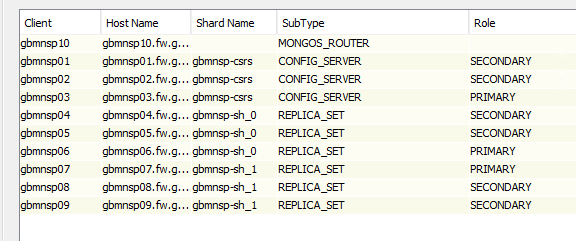
we have percona-mongodb with 10 nodes.Snaps completedsuccesfully. BUt backup copy fails as following. My commvault version is 11.32.76. I coudlnt not find details error on the backup copy logs

Error Code: [32:392]
Description: Internal software error occurred. : [Mount failed:OS mount failed (MM.60614) (MM.-335352634)]
Source: gbmnsp10, Process: MongoDB


Best answer by ETO

Hello ​@cmvt_user 

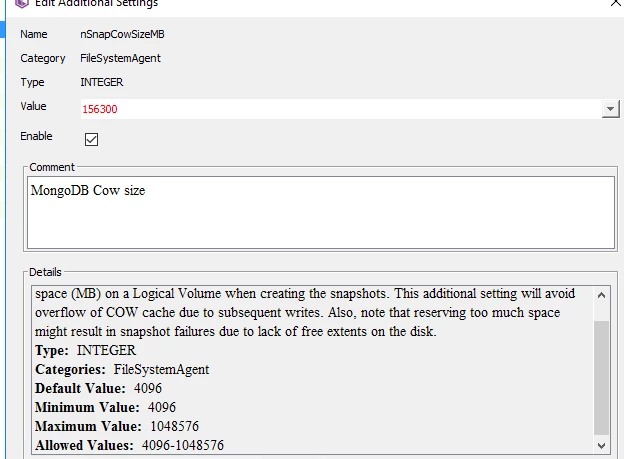
I have opened a case they asked me to increase dataVG cow size on the nodes. But be sure there is sapce on the nodes. you can check with the admins. I have added that additional settings on all the nodes. Then start the backup when data i/o is less on the  volumes


6 replies

Forum|alt.badge.img+9
  • Vaulter
  • December 27, 2024

Hi ​@ETO,

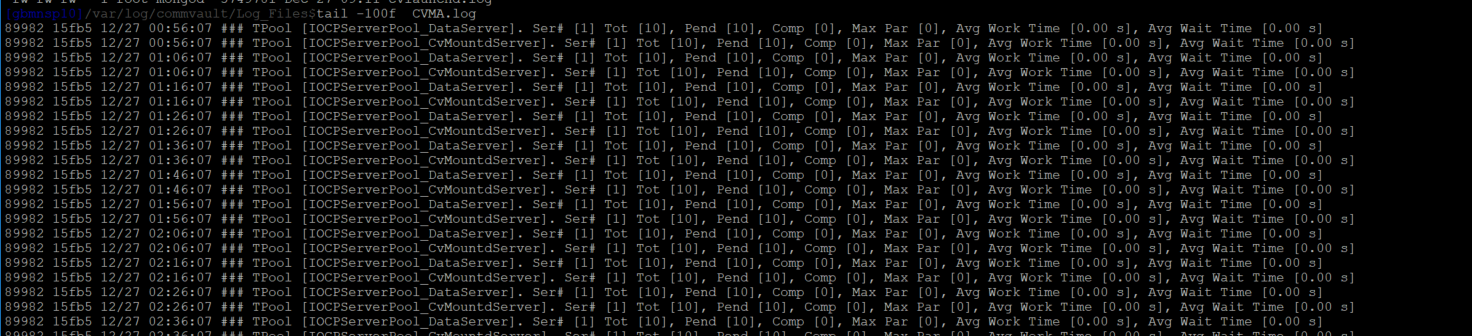
Please check the MongoDB log, and the CVMA log from the Media Agent during the problem-reported time.

Note: Also, you can try to remove the existing snap from to be copied flag and age the snap. Trigger a new snap with backup copy and check the status.

Regards,

Wasim


Forum|alt.badge.img+8
  • Author
  • Byte
  • December 27, 2024

Hello ​@Wasim 

I have tried that “Also, you can try to remove the existing snap from to be copied flag and age the snap. Trigger a new snap with backup copy and check the status”  Once, It is working fine then It fails again with the same error. Error Code: [32:392]
Description: Internal software error occurred. : [Mount failed:OS mount failed (MM.60614) (MM.-335352634)]

CVMA.log looks fine


Forum|alt.badge.img+2
  • Byte
  • May 2, 2025

Hello, Community.

I have the same error? is there any solution.


Forum|alt.badge.img+8
  • Author
  • Byte
  • Answer
  • May 2, 2025

Hello ​@cmvt_user 

I have opened a case they asked me to increase dataVG cow size on the nodes. But be sure there is sapce on the nodes. you can check with the admins. I have added that additional settings on all the nodes. Then start the backup when data i/o is less on the  volumes


Forum|alt.badge.img+2
  • Byte
  • May 2, 2025

Hello, ​@ETO 


How did you determine that you needed to set this value? 156300 ?


if the volume dataVG size 1TB = 1024 GB= 1024000 Mb


1024000 Mb *5% = 51 200  Correct calculation?


Documentation:

  • Logical Volume Manager (LVM) volume groups must have adequate free space for creating the IntelliSnap snapshots. The default COW cache size is set to 4096 MB or 5% of the volume size, whichever is greater. You can increase the COW cache size.


Forum|alt.badge.img+8
  • Author
  • Byte
  • May 2, 2025

Hi ​@cmvt_user 

I have tried . maybe your environment need less space. you should try and find the correct size