Can PST ingestion be used on a user mailbox subclient in 11.32?
I setup an Office 365 app, Exchange Online, within the Command Center. The app is backing up my Office 365 user mailboxes within my cloud tenant. I also have old on-prem mail servers and PST files from other mail severs I’m wanting to include in the user mailbox backup.
This led me to PST Ingestion within the documentation. I was under the impression when setting up the user mailbox backup that operated the same way as setting up a user mailbox client in the Commcell as an Exchange Online through on-prem active directory and that PST ingestion could be added to the user mailbox subclient.
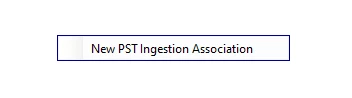
However, when I go to subclient, navigate over to the PST Ingestion tab in the Commcell, I get no options when right-clicking in the client space.
I wasn’t sure if this was a problem with my Commcell GUI so I tried it on another node with the Commcell installed and still nothing.
Is the way I setup this user mailbox subclient through the Command Center office 365 apps not compatible with PST Ingestion? If not, how should I setup the client so that I can perform PST ingestion. I’m not opposed to setting up a new client and just ingesting the PST files into that client. Any information would be a great help. Thanks in advance.