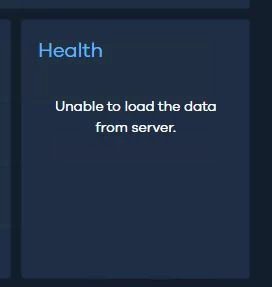
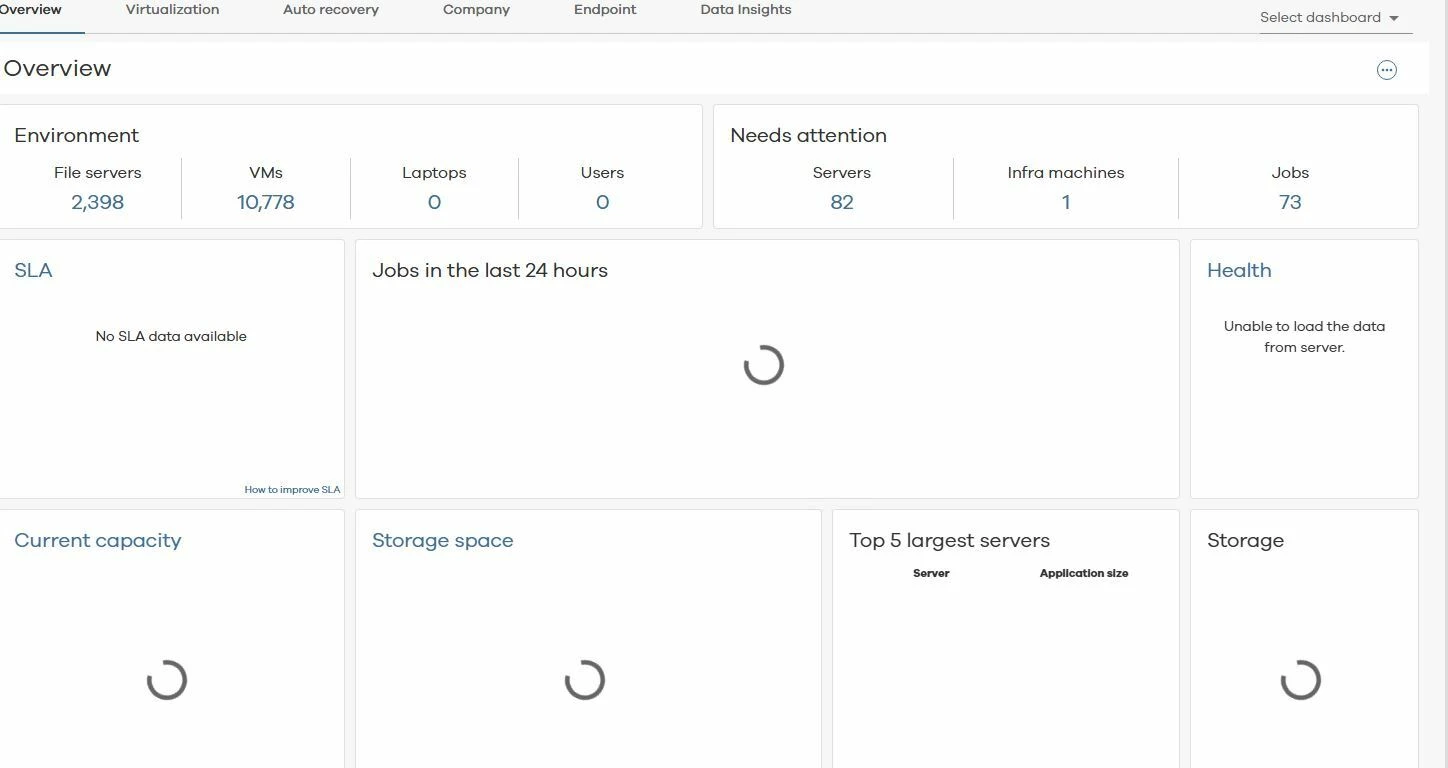
Setting up a separate web server aside from the Commserver and doesnt seem to work. Command center is not showing all the data from the dash board
Can see error from Web server logs for the dedicated web server
WebServer.log
15756 9 08/16 15:33:41 ### _+_PublicSharingUser_ UserInfoForLogin - Failed to get user info from mongodb cache. message : Invalid User Details., errorCode : 112
15756 9 08/16 15:33:41 ### _+_PublicSharingUser_ UserInfoForLogin - Failed to get user info from mongodb cache. message : Invalid User Details., errorCode : 112
15756 9 08/16 15:33:41 ### _+_PublicSharingUser_ PopulateProviderInformationInLoginResponse - Failed to Get Provider Information For User. message : Invalid User Details., errorCode : 112
15756 43 08/16 15:33:42 ### _+_PublicSharingUser_ UserInfoForLogin - Failed to get user info from mongodb cache. message : Invalid User Details., errorCode : 112
15756 43 08/16 15:33:42 ### _+_PublicSharingUser_ UserInfoForLogin - Failed to get user info from mongodb cache. message : Invalid User Details., errorCode : 112
15756 43 08/16 15:33:42 ### _+_PublicSharingUser_ PopulateProviderInformationInLoginResponse - Failed to Get Provider Information For User. message : Invalid User Details., errorCode : 112
15756 41 08/16 15:33:48 ### _+_PublicSharingUser_ UserInfoForLogin - Failed to get user info from mongodb cache. message : Invalid User Details., errorCode : 112
15756 41 08/16 15:33:48 ### _+_PublicSharingUser_ UserInfoForLogin - Failed to get user info from mongodb cache. message : Invalid User Details., errorCode : 112
15756 41 08/16 15:33:48 ### _+_PublicSharingUser_ PopulateProviderInformationInLoginResponse - Failed to Get Provider Information For User. message : Invalid User Details., errorCode : 112
15756 5 08/16 15:33:49 ### ### IsSqlConnectionSuccessful - Failed to connect to database with connection string: Data Source=127.0.0.1\Commvault,59743;Initial Catalog=cvcloud;User ID=sqladmin_cv;Password=********;Encrypt=False;Load Balance Timeout=0
15756 5 08/16 15:33:49 ### ### IsSqlConnectionSuccessful - Exception Message [A connection was successfully established with the server, but then an error occurred during the pre-login handshake. (provider: TCP Provider, error: 0 - An existing connection was forcibly closed by the remote host.)]
15756 5 08/16 15:33:49 ### ### IsSqlConnectionSuccessful - Exception Source [Core .Net SqlClient Data Provider]
15756 5 08/16 15:33:49 ### ### IsSqlConnectionSuccessful - Exception InnerException [System.ComponentModel.Win32Exception (10054): An existing connection was forcibly closed by the remote host.]
5756 5 08/16 15:33:49 ### ### GetIPAddresses - Failed to get IP addresses for host: 127.0.0.1\Commvault,59743
15756 37 08/16 15:35:48 ### Commvaultuser IsSqlConnectionSuccessful - Failed to connect to database with connection string: Data Source=127.0.0.1\Commvault,59743;Initial Catalog=cvcloud;User ID=sqladmin_cv;Password=********;Encrypt=False;Load Balance Timeout=0
15756 37 08/16 15:35:48 ### Commvaultuser GetIPAddresses - Failed to get IP addresses for host: 127.0.0.1\Commvault,59743
15756 39 08/16 15:36:09 ### Commvaultuser IsSqlConnectionSuccessful - Failed to connect to database with connection string: Data Source=127.0.0.1\Commvault,59743;Initial Catalog=cvcloud;User ID=sqladmin_cv;Password=********;Encrypt=False;Load Balance Timeout=0
Dm2Web.log
5824 7 08/16 02:06:16 ### ### IsSqlConnectionSuccessful - Database connnection is successful with connection string: Data Source=127.0.0.1,5000\COMMVAULT,1433;Initial Catalog=commserv;User ID=sqlexec_cv;Password=********;Load Balance Timeout=0
15824 7 08/16 02:06:16 ### ### dmConf:ReadRegistry - Return code : [1] for Input -- InstanceName:[Instance001], sectionName:[DM2WebSearchServer],regKey:[sMaxNumberOfChar]
15824 7 08/16 02:06:16 ### ### CheckConnectivityAndUpdateConnectionString - Checking connectivity for connection string: Data Source=127.0.0.1,5000\COMMVAULT,1433;Initial Catalog=commserv;User ID=sqlexec_cv;Password=********;Load Balance Timeout=0
15824 7 08/16 02:06:16 ### ### IsSqlConnectionSuccessful - Database connnection is successful with connection string: Data Source=127.0.0.1,5000\COMMVAULT,1433;Initial Catalog=commserv;User ID=sqlexec_cv;Password=********;Load Balance Timeout=0
So seems like the web server can successfully connect to the Commvault Commserve database