
Question

System State – Active Directory component appears empty during restore (why?)

  • March 17, 2026
  • 5 replies
  • 24 views

Nikos.Kyrm
Community All Star
Forum|alt.badge.img+16

Hi everyone,
 

When restoring a Domain Controller’s System State backup (taken with the Windows File System agent), the Active Directory component appears empty and shows the message “Not allowed to browse system state components.

I’m aware that these days granular AD object recovery requires the licensed Active Directory Agent, so this is not about licensing. My question is more technical and focusing to System State:

  • Why does the System State AD component show empty — is this purely by design, or does Commvault handle AD data differently
  • During a full System State restore, is the AD database automatically restored even though it’s not visible in the browse view?
  • Has this behavior always been like this, or did older Commvault versions allow limited browsing of AD components within System State?
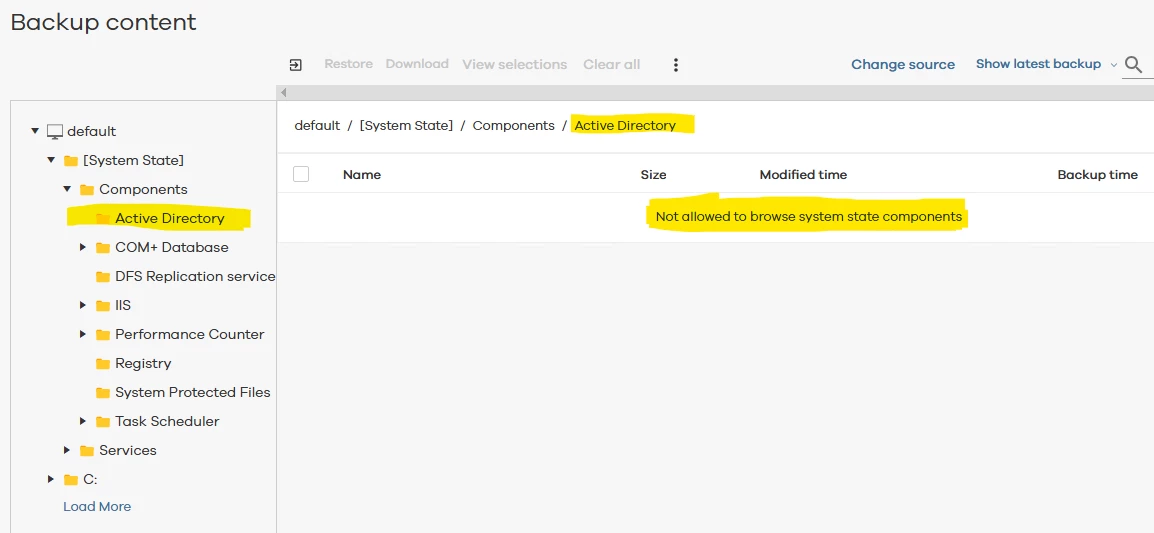
 

Trying to understand if this is an intentional design constraint or something that regressed over time.

Thank you in advance,
Nikos

5 replies

Onno van den Berg
Community All Star
Forum|alt.badge.img+24

Hi Nikos,

Yes, what you see is by design. During a full system restore all locally related AD configuration will be restored. The behavior has always been like this. You can what's in there when performing an out-of-pace restore. 


Nikos.Kyrm
Community All Star
Forum|alt.badge.img+16
  • Author
  • Community All Star
  • March 18, 2026

Hi ​@Onno van den Berg,

So, to confirm, AD can only be restored via full System State / full system restore?

Is there any way to perform item-level AD restores (single user/group/OU) without full VM/System State restore?

Thanks


Onno van den Berg
Community All Star
Forum|alt.badge.img+24

It depends on the scenario, but AD can be restored via full system state recovery or through the AD Forst recovery runbook which requires the AD Enterprise license that offers an orchestrated recovery procedure though runbooks. Item-level AD restores require at minimum the AD Standard licenses. Picking the best route to recovery really depends on the situation at hand. For example if I would loose a single DC I would probably spin up a new instance and promote it to become a new AD member server. If in the case of a AD server running certain FSMO roles I would take this approach and seize the specific role. In case of a larger disaster I would first take a bit of time to look for the best possible route to recovery.


Nikos.Kyrm
Community All Star
Forum|alt.badge.img+16
  • Author
  • Community All Star
  • March 19, 2026

Hello ​@Onno van den Berg 
 

Thanks for your reply.

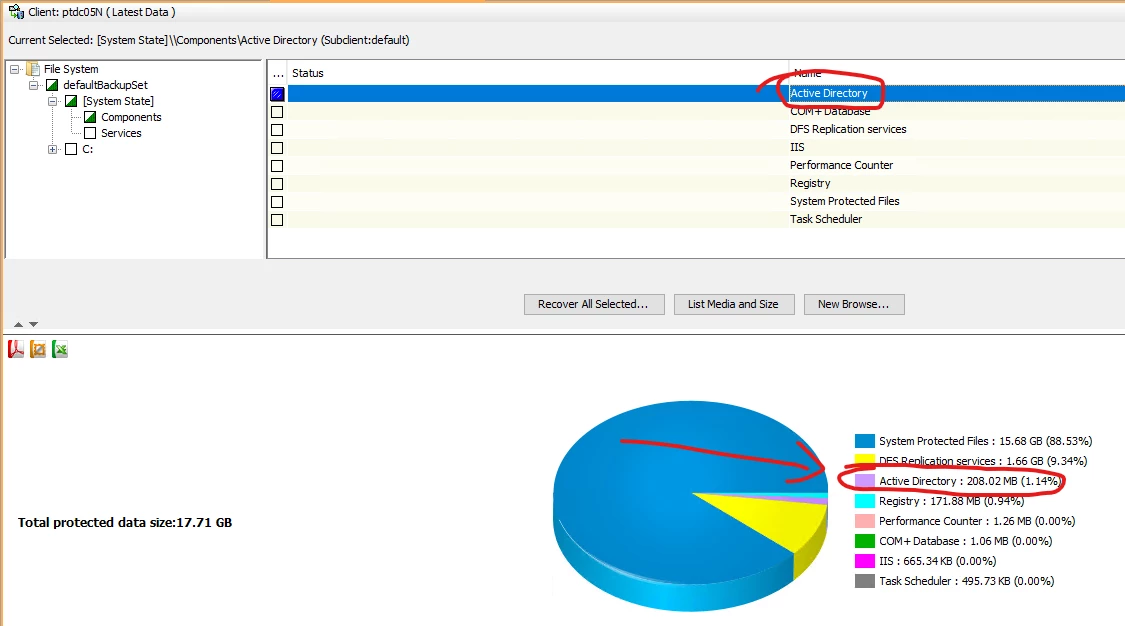
I attempted to browse the System State backup from the CommCell Console. As shown in the pie chart, the Active Directory component size is approximately 208 MB.


However, when I navigate through the tree via System State > Components > Active Directory, I am unable to see individual AD objects or items (like Command Center).

That said, looks that I’m able to perform an out-of-place restore of the Active Directory components and at least to retrieve the ntds.dit file!

Therefore, I assume this is the closest I can get to an AD restore in this environment without an additional Commvault license. Is that correct?
 

Best regards,
Nikos


Onno van den Berg
Community All Star
Forum|alt.badge.img+24

@Nikos.Kyrm yes, this is correct as this methodology does not support item-level recovery.