Solved

VMInstance

  • June 5, 2023
  • 4 replies
  • 77 views

Forum|alt.badge.img+13

Hi,
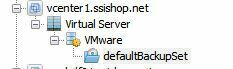
i have create a new client to backup my AD. The DC is a virtual machine on vSphere.
I have installed the AD agent and file agent.
I see there a VMInstance:
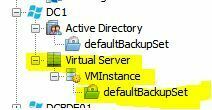

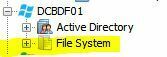
What is that? On my old DCs (also VMs) i see this:
 

When i release the license or delete the VMIntance the next day it is back.

Regards
Dennis
Best answer by Sebastien Merluzzi

@Dennis ,

It is the same Backup.

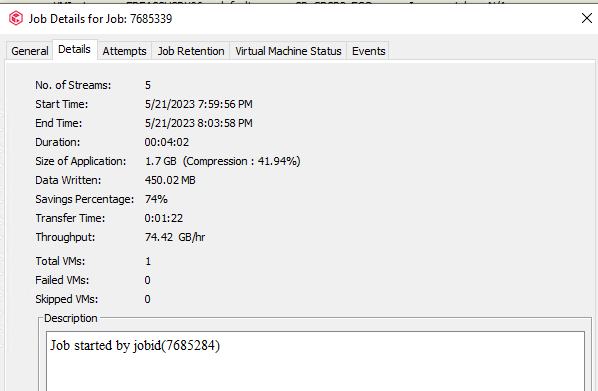
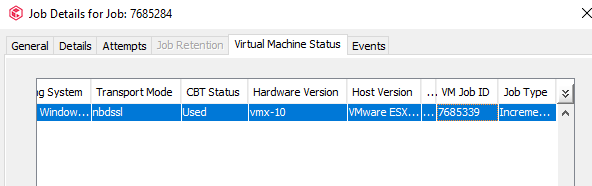
From vCenter you will see the Child Job, in job details > Virtual Machine Status

You will see the VM Job ID.


From the VM you will see the Parent job, in job details > Description

You will see Job started by job ID.


4 replies

Jos Meijer
Community All Star
Forum|alt.badge.img+16
  • Community All Star
  • June 5, 2023

Hi Dennis,

It seems you have a Hypervisor configured with v2 indexing.
This hypervisor instance config is processing the VM during a backup.

https://documentation.commvault.com/2022e/expert/102122_virtual_machine_clients_and_instances.html

If this is not a wanted outcome you should be able to prevent this by filtering the VM on the hypervisor config in Commvault.


Forum|alt.badge.img+13
  • Author
  • Novice
  • June 6, 2023

What do you mean with…...
If this is not a wanted outcome you should be able to prevent this by filtering the VM on the hypervisor config in Commvault.
??


Is this a new feature? In my older VM clients i have only “Active Directory” and “File System”.

I have configured a virtualisation client:

Do i backup the machine 2 x ??
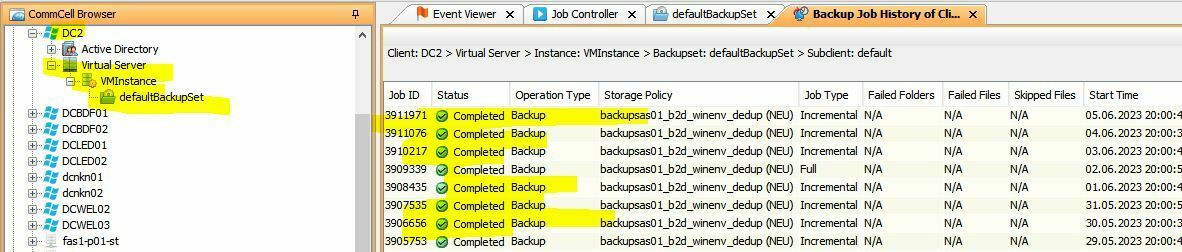
Because when i go to the VMInstance in my backup history i see backups:

Or are these the backups of the actual virtualisation client?


Forum|alt.badge.img+13
  • Author
  • Novice
  • June 22, 2023

Hi,
is it not possible to deactivate the VMInstance?
Because actually i backup the client twice. 
Once over the VMInstance and the other one over my virtualisation client…..


Forum|alt.badge.img+14

@Dennis ,

It is the same Backup.

From vCenter you will see the Child Job, in job details > Virtual Machine Status

You will see the VM Job ID.


From the VM you will see the Parent job, in job details > Description

You will see Job started by job ID.