Question

An issue occurs when generating reports in XML format after upgrading to version 11.40.67

  • September 16, 2026
  • 3 replies
  • 17 views

Forum|alt.badge.img+3

I was using version 11.28, and last week I upgraded to version 11.40.67.

Backups after the upgrade work without any problem, but when the 'Commcell Console' outputs a backup report in XML format, the Client Group is not displayed correctly.
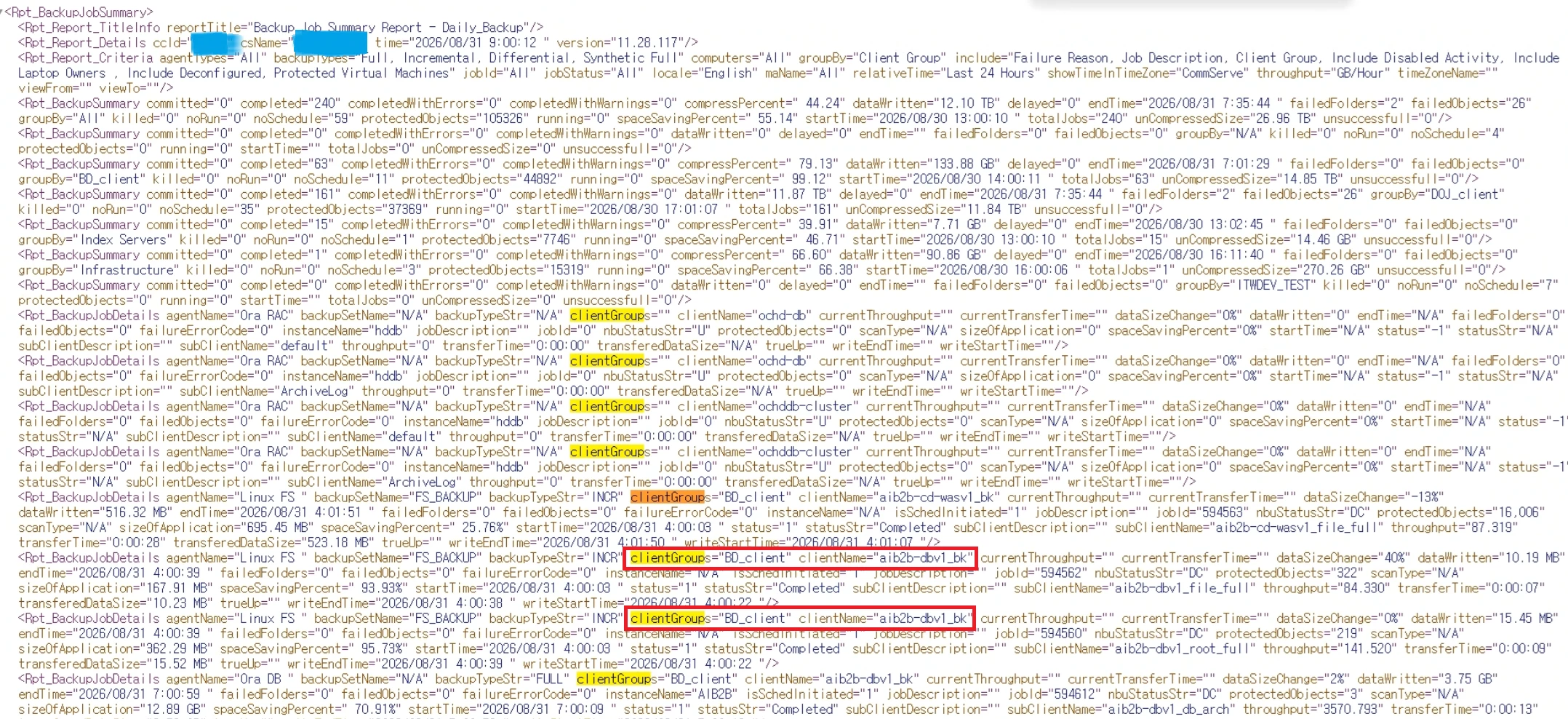
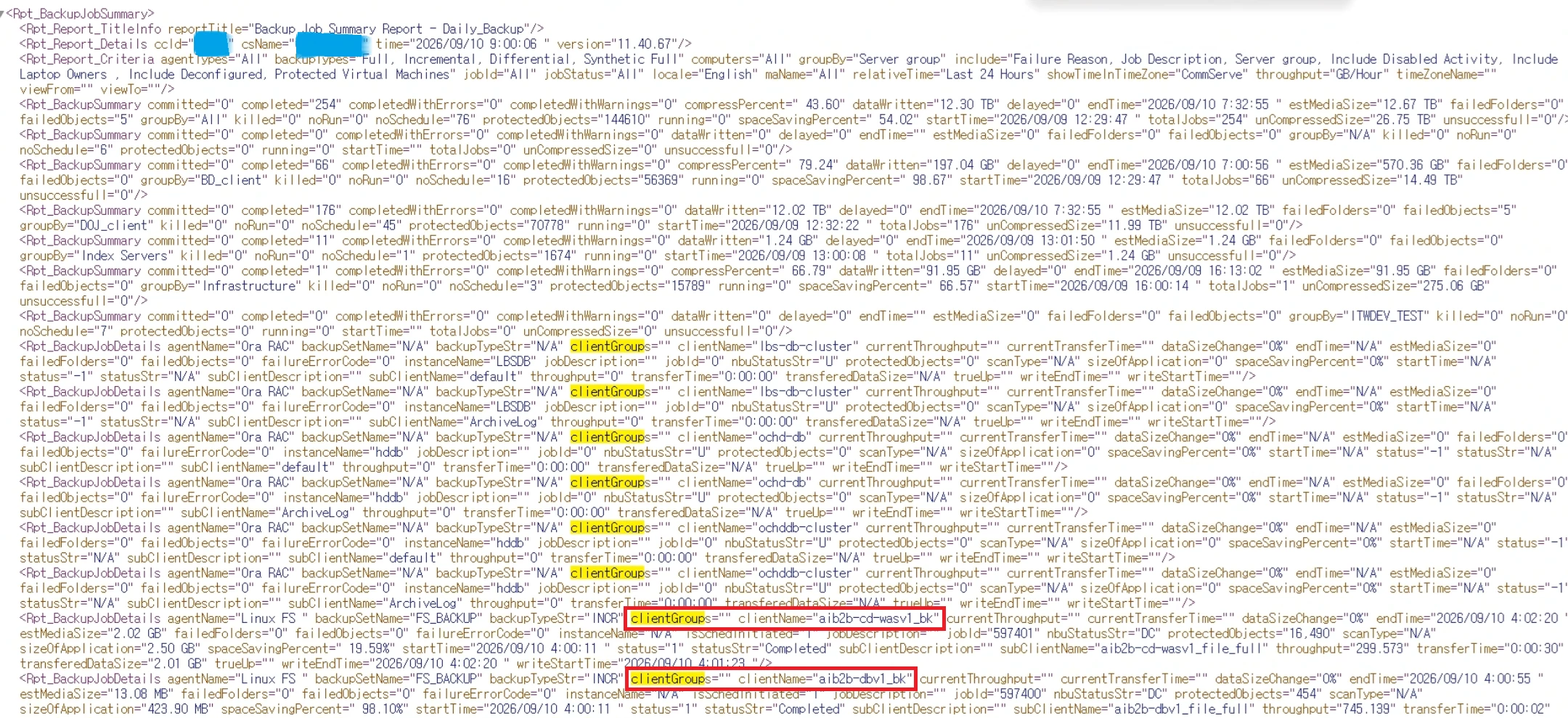


How can we resolve this issue

3 replies

Scott Moseman
Vaulter
Forum|alt.badge.img+23

Checking a BJS report in a 11.40 lab I see the Server Groups column is blank.  I suspect this may be intentional as I imagine it’s a column which can really get bloated when you have clients in a bunch of groups.  

Thanks,
Scott


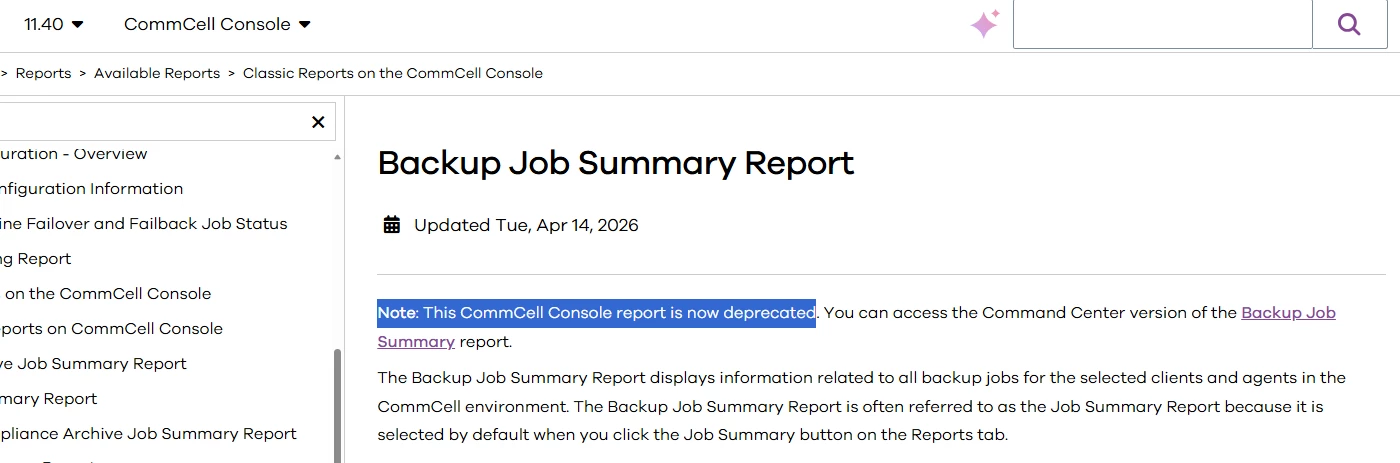
Hi ​@tmyoo , seems Backup Job Summary report for the CommCell Console report is now deprecated 

Ref: Backup Job Summary Report


Try to use the CommandCenter version → Viewing the Backup Job Summary Report 


Thanks,


Forum|alt.badge.img+17
  • Vaulter
  • September 17, 2026

Hi ​@tmyoo ,

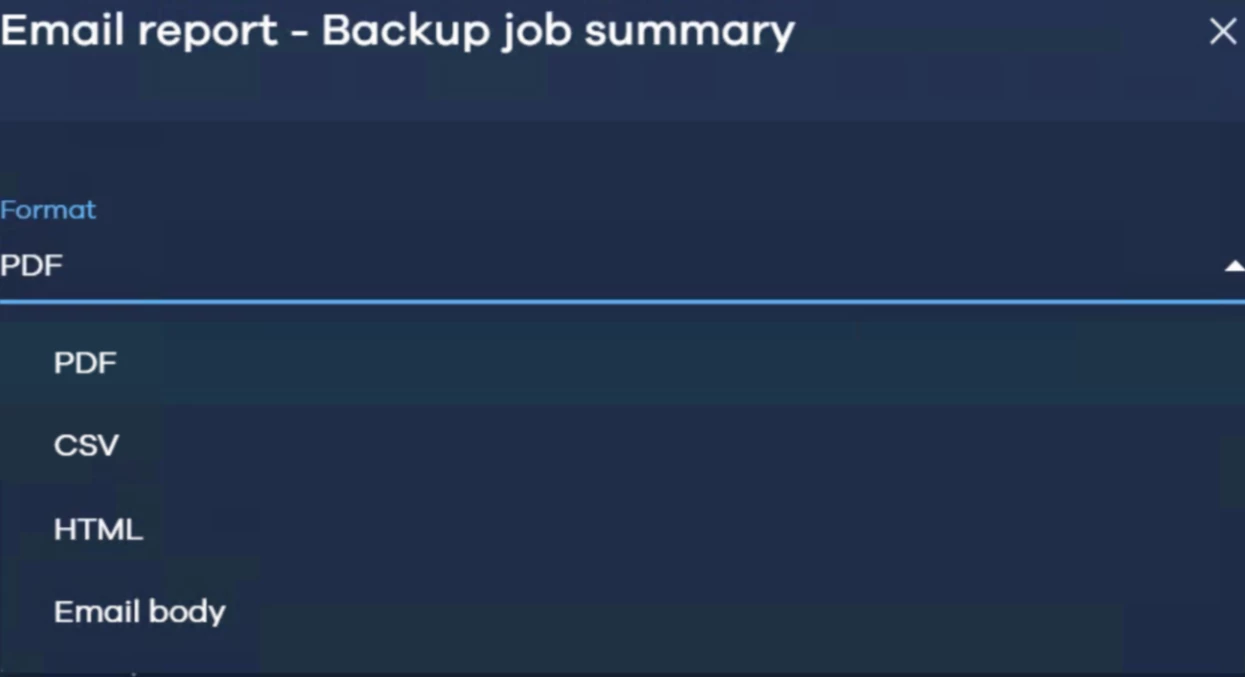
Below are the supported output formats available in the Command Center Backup Job Summary Report. As such, the Java Console remains the preferred interface for obtaining report output in XML format.

However, these reports are currently deprecated and have not been updated to align with the latest Feature Release updates.

To address this limitation, we currently have a CMR in place and are discussing internally the possibility of introducing XML output as an option within the Command Center Backup Job Summary Report. This enhancement would help avoid similar scenarios in the future and provide a consistent reporting experience through Command Center.


Command center report output option