Question

Error Code 13:245 and 30:378

  • October 10, 2025
  • 11 replies
  • 119 views

Forum|alt.badge.img+5

i have a problem. i changed disks on my storage, i restored backups on new disks. my commvault i proceed that make backups on this storage library, but i receive error notifications 

  • Job Management - Auxiliary Copy  [Media read operation failure] [Dedupe disk media] [Operating System could not find the path specified.] [in media (CV_MAGNETIC) , Path (\\192.168.170.100\AMS_Backup\Commvault\9ITOLX_09.06.2022_10.40\CV_MAGNETIC\V_10282)]
  • Failed to generate collect file for backup contents [C:\Program Files\Commvault\ContentStore\iDataAgent\JobResults\CV_JobResults\2\0\537187\LogDBList.cvf] or the file size is zero. Possible reasons are 1. nonexistent path/file 2. disk is full or 3. incorrect permissions for the user configured at the instance level or 4. subclient contents are empty and/or Auto-Discovery not enabled.

i tested from windows explorer and cmd. i have access this share location on my storage library. What i do?


11 replies

Forum|alt.badge.img+2

Hello,

Did you move the index cache directory before moving the mount path?


The first issue seems to be caused by a deduplication failure, so I recommend sealing the deduplication .


The second issue is likely related to the index cache directory, so I suggest moving the index cache to a new directory and ensuring the path has the correct access permissions.


Forum|alt.badge.img+5
  • Author
  • Byte
  • October 10, 2025


Did you move the index cache directory before moving the mount path?

The first issue seems to be caused by a deduplication failure, so I recommend sealing the deduplication .


the mount path is not changed, so i dont change index cache directory. how i make sealing the deduplication?


The second issue is likely related to the index cache directory, so I suggest moving the index cache to a new directory and ensuring the path has the correct access permissions.

how change the index cache on new directory? my permissions are ok


Forum|alt.badge.img+2

@gogi100 

how you restored backups on new disks?
and are you configuring any prerequisites before performing this action? 


Forum|alt.badge.img+5
  • Author
  • Byte
  • October 10, 2025

before the disks on my NAS system QNAP failed, I made a backup. After placing the disks in RAID, I did a restore without prerequisites


Forum|alt.badge.img+2

are you sure that mount path and deduplication engine are online?
also, are you sure that the index cache directory is available without any failure?


Forum|alt.badge.img+5
  • Author
  • Byte
  • October 10, 2025

are you sure that mount path and deduplication engine are online?
also, are you sure that the index cache directory is available without any failure?

I dont know for deduplication engine and the index cache directory. how i check this? the mount path is online. 


Forum|alt.badge.img+2

for deduplication engine:

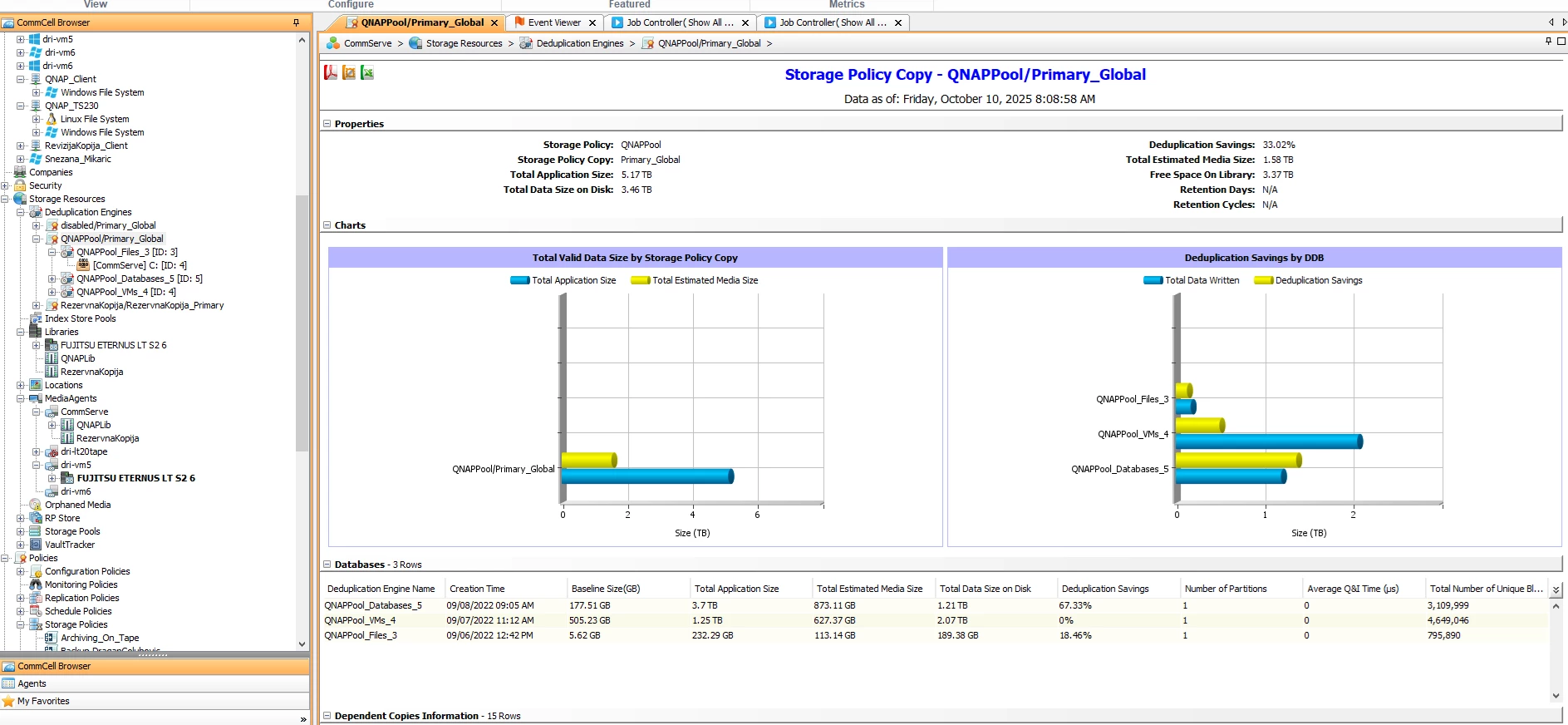
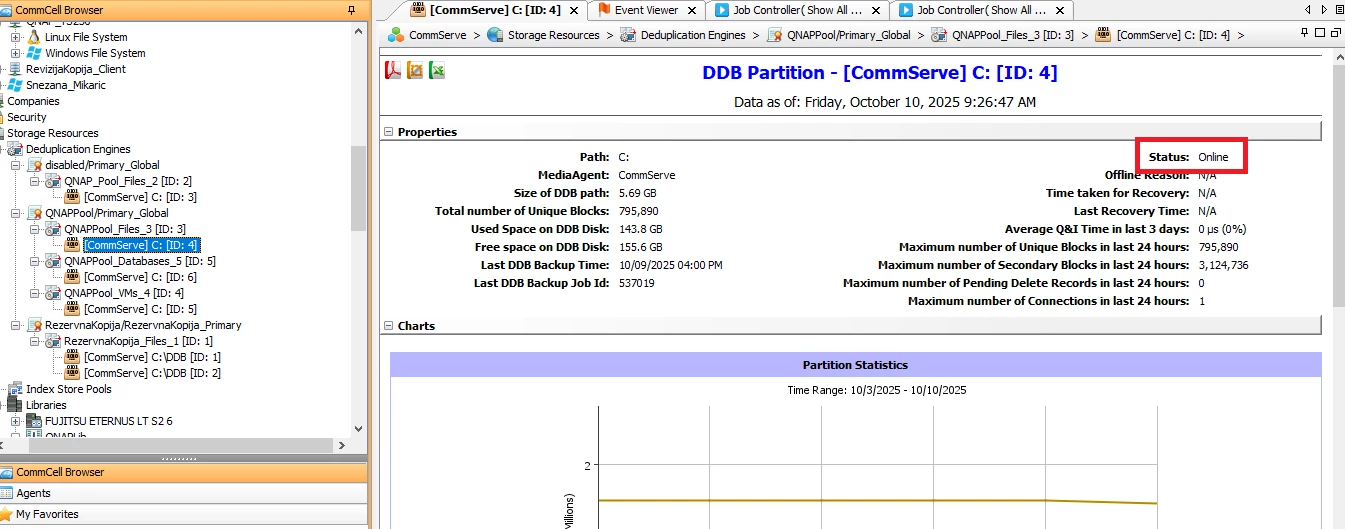
go to storage resources » Deduplication engines » Click on each DDB partition, The right panel will display the status of each partition, including whether the path is Online or Offline.


for index cache directory:

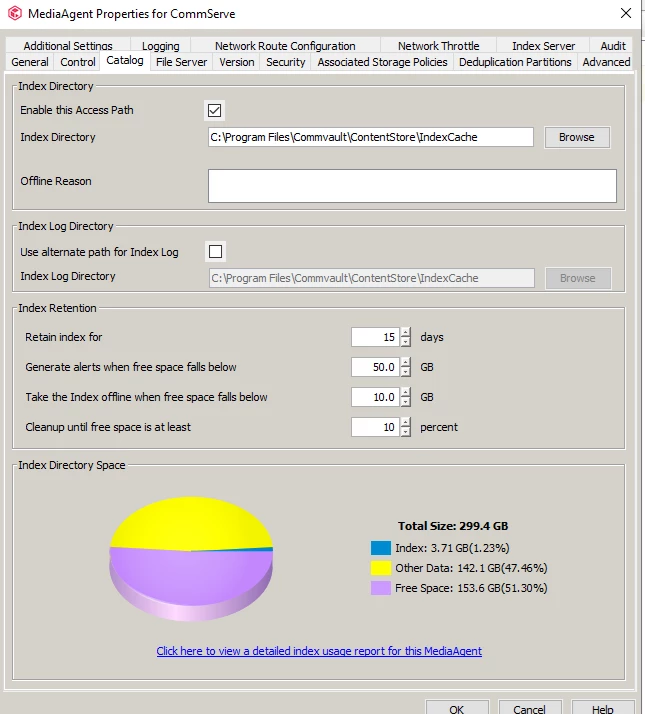
go to storage resources » MediaAgents » right click on MA » properties » catalog


Forum|alt.badge.img+5
  • Author
  • Byte
  • October 10, 2025

for deduplication engine:

go to storage resources » Deduplication engines » Click on each DDB partition, The right panel will display the status of each partition, including whether the path is Online or Offline.


for index cache directory:

go to storage resources » MediaAgents » right click on MA » properties » catalog

for index cache

for deduplication engine


Forum|alt.badge.img+2

expand more for deduplication to show accessibility 


Forum|alt.badge.img+5
  • Author
  • Byte
  • October 10, 2025

expand more for deduplication to show accessibility 

also, for QNAPPool_Database, QNAPool_VMs Status is Online. If that is location for Accessibility. maybe i can see accessibility on antoher place?


Forum|alt.badge.img+5
  • Author
  • Byte
  • October 13, 2025

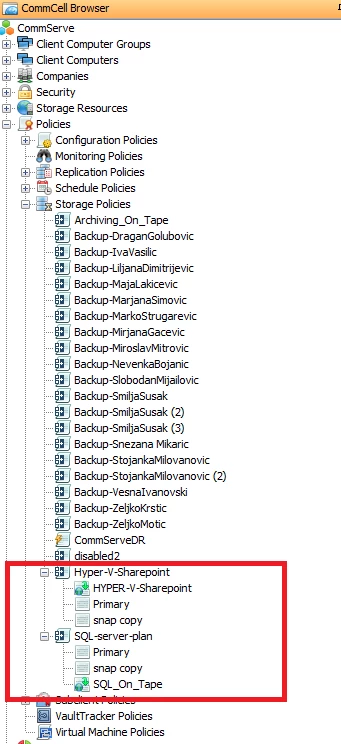
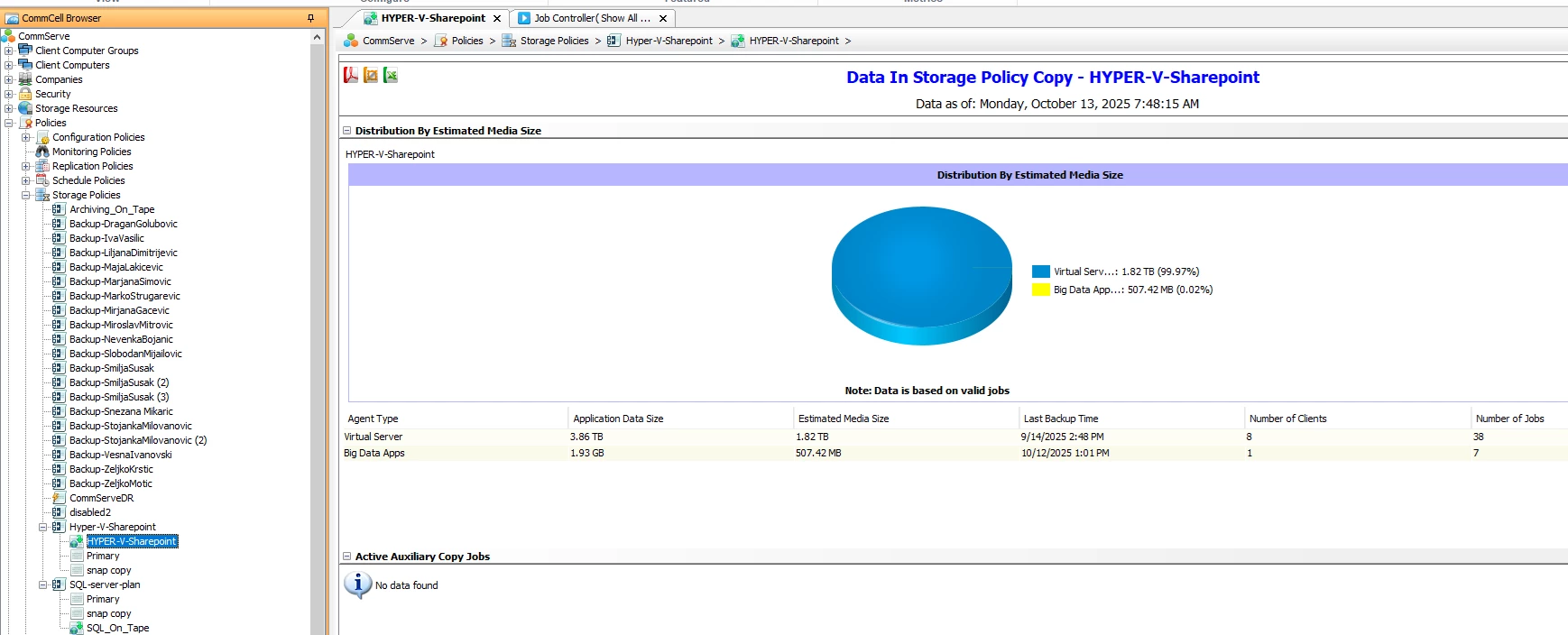
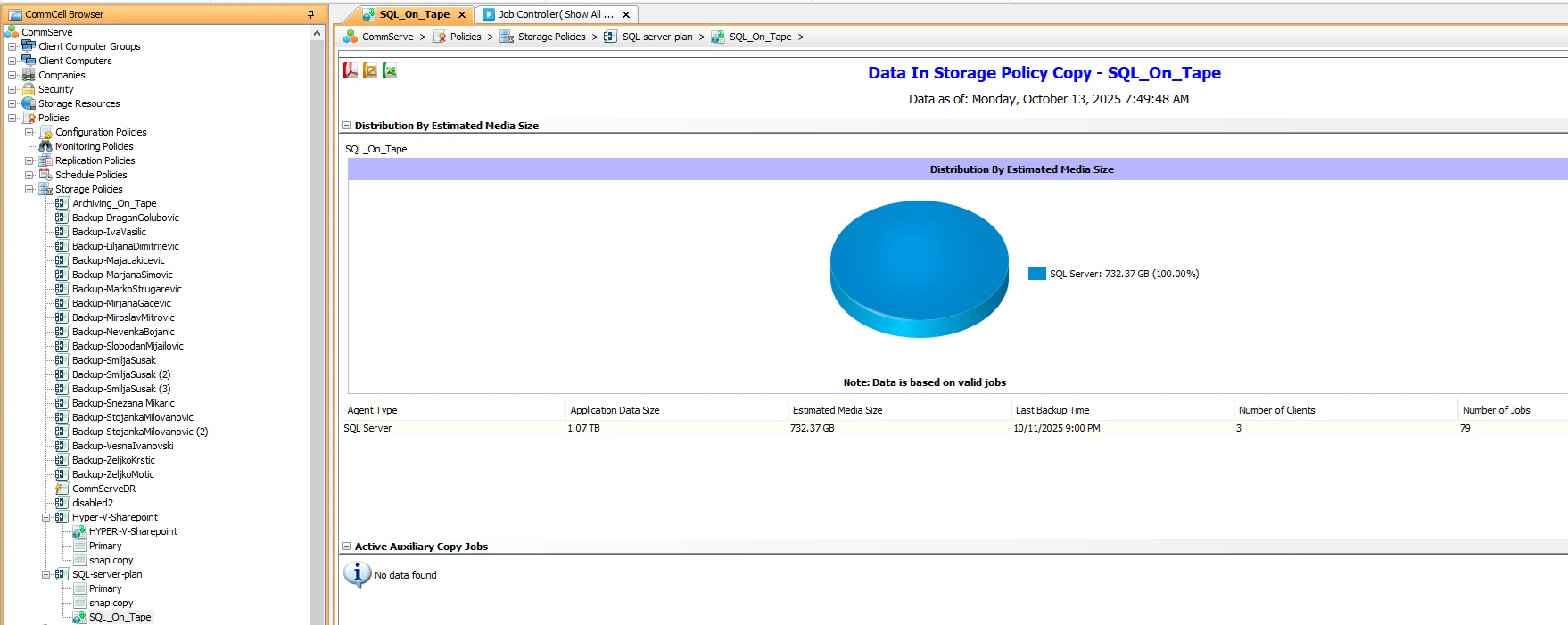
I noticed that the alert messages Alert: Aux copy job Failed Type: Job Management - Auxiliary Copy come from the storage policy, the policies are in the images 


in my system i have tape drive.