Platform Release Webinars (July 28, 2026): Commvault Cloud SaaS and LTS 11.44
Hey,
There is a way to export media to the mail slot after the aux copy is done?
so there is no more “copy to” or “partially copy” only “available”
Best answer by Jos Meijer
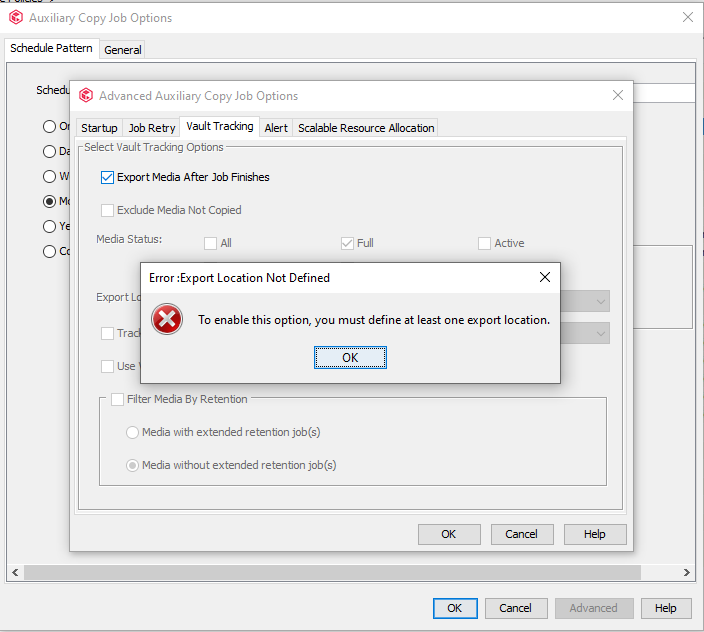
Create a location under Storage Resources → Locations
If you have a tape specific aux copy (not combined with aux to disk) you can go to the scheduled policy, Edit the Task, go to Advanced (button), go to Vault Tracking tab and enable Export media after job finished.
Tnx for the reply when I do that I get an Error
Ok now it’s automatically go to the mail slot?
That’s correct. Once you have it configured, it should export.
Tanx it is work
Already have an account? Login
No account yet? Create an account
Enter your E-mail address. We'll send you an e-mail with instructions to reset your password.