
Question

Restore Disaster Recovery backups from Dell Data Domain

  • July 28, 2025
  • 5 replies
  • 103 views

Robert Horowski
Commvault Certified Expert
Forum|alt.badge.img+13

Hi,

I’ve been trying to restore DR backup from DataDomain appliance.

  • First, I’ve created a dedicated StorageUnit for DR Backups and added it in Commvault using DDBoost Client
  • then I’ve put some DR backup jobs on it
  • next I’ve retrieved whole mount path from DataDomain to a local disk on a destination computer
  • added bMERestoreAsFS on destination computer
  • Downloaded Media Explorer and cataloged mount path location

In Media Explorer I can see all my DR backups just fine, but when I choose to restore, then the restore fails.
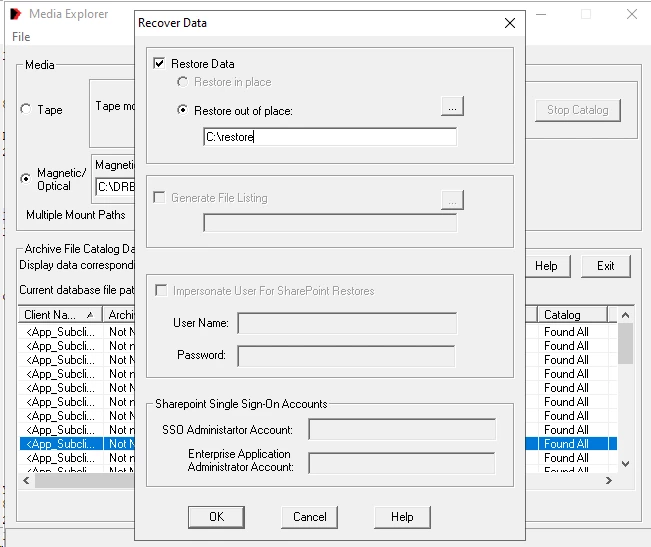
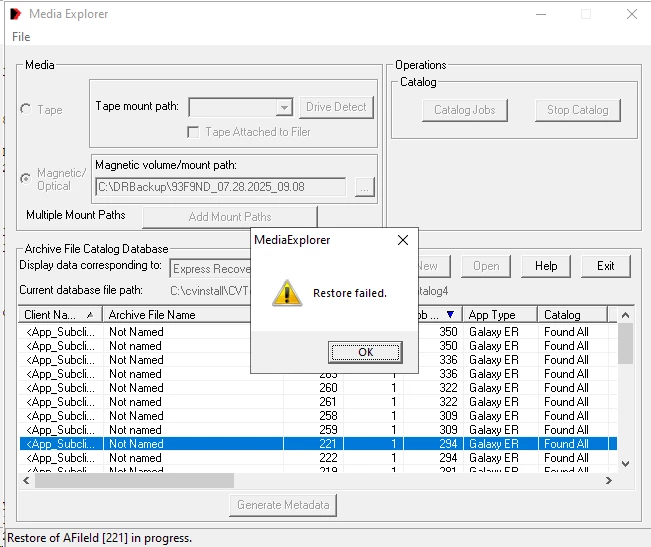
 

In DrReader.log I can see the following

1796: 2025/07/28 14:51:12: Opening the Chunk =1095, ArchFileId = 221, FileMarker=23, ArchFilePhysSizeInChunk=1296831842 VolId=115
1796: 2025/07/28 14:51:12: Cannot open file [C:\DRBackup\93F9ND_07.28.2025_09.08\CV_MAGNETIC\V_115\\CHUNK_1095], error=0xECCC000D:{CQiFile::Open(95)} + {CQiUTFOSAPI::open(77)/ErrNo.13.(Permission denied)-Open failed, File=\\?\C:\DRBackup\93F9ND_07.28.2025_09.08\CV_MAGNETIC\V_115\CHUNK_1095, OperationFlag=0x8020, PermissionMode=0x100}
1796: 2025/07/28 14:51:12: :OpenChunk(): Failed to open chunk [0, 115, 1095], AFId=221, FileMarker=23 AFilePhySizeInChunk=1296831842
1796: 2025/07/28 14:51:12: Failed to Get Media Agent's CommServe Host Name
1796: 2025/07/28 14:51:12: Setting the job pending reason to 1040187703 
1796: 2025/07/28 14:51:12: The jobclient object is not initialized 
1796: 2025/07/28 14:51:12: DataMoverBase::DrReaderOpen : Failed to open the the chunk for archivefile id [221] 
1796: 2025/07/28 14:51:12: DrReader::SetRestoreChunkInformation : Failed to open the chunk for DrRestore 
1796: 2025/07/28 14:51:18: Destroyed DataMoverBase for MediaGroupId=[0]


I’m running Media Explorer as administrator which has Full Permissions to the Mount Path location, so the “Permission Denied” does not really make any sense to me.
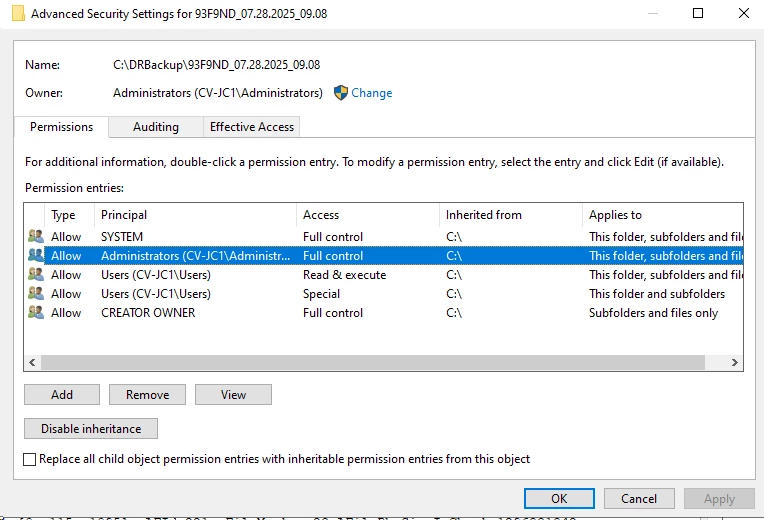
 

Path is accessible 

C:\Users\Administrator>dir C:\DRBackup\93F9ND_07.28.2025_09.08\CV_MAGNETIC\V_115\\CHUNK_1095
 Volume in drive C has no label.
 Volume Serial Number is 66C1-8D3F

 Directory of C:\DRBackup\93F9ND_07.28.2025_09.08\CV_MAGNETIC\V_115\CHUNK_1095

28.07.2025  12:29    <DIR>          .
28.07.2025  12:29    <DIR>          ..
28.07.2025  11:12     1 290 410 439 1.data
               1 File(s)  1 290 410 439 bytes
               2 Dir(s)  53 909 360 640 bytes free


Any idea on how to solve this?



5 replies

Forum|alt.badge.img+12
  • Vaulter
  • July 29, 2025

Hi ​@Robert Horowski ,

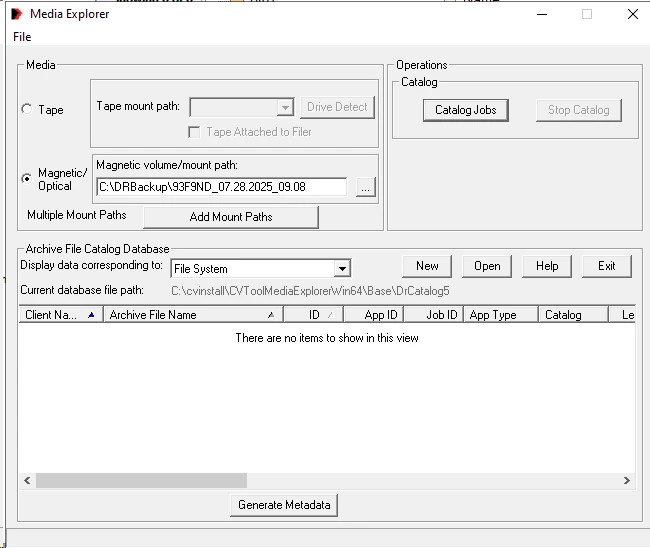
Kindly attempt to catalog the DR data by selecting the "File System" option under the "Display Data Corresponding To" section in the restore window.

Once the cataloging is complete, please re-attempt the restore operation.


Robert Horowski
Commvault Certified Expert
Forum|alt.badge.img+13
  • Author
  • Commvault Certified Expert
  • July 29, 2025

Hi ​@Pradeep ,

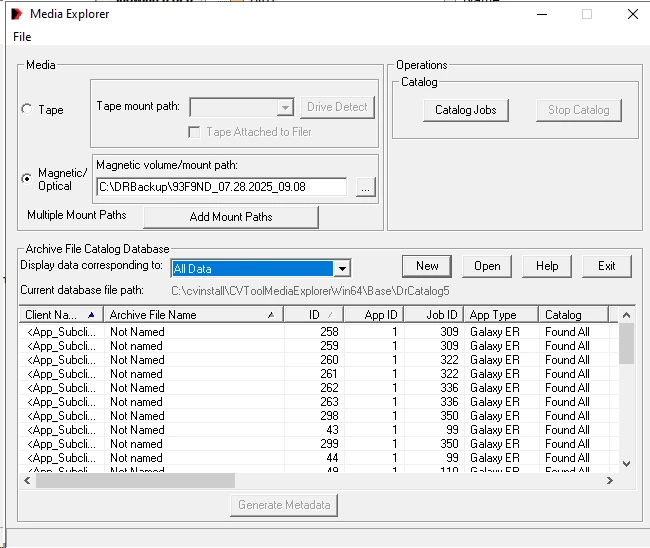
I did as suggested but there is nothing shown in the restore window.


It only appears if I select “All Data” or “Express Recovery” under the "Display Data Corresponding To"


Robert Horowski
Commvault Certified Expert
Forum|alt.badge.img+13
  • Author
  • Commvault Certified Expert
  • July 29, 2025

Going through docs I found that DataDomain is a unsupported storage target

https://documentation.commvault.com/11.42/expert/retrieving_disaster_recovery_dr_backups_from_tape_or_disk_storage_using_media_explorer.html

Unsupported Storage Targets

  • DDBoost
  • HPStoreOnce
  • Cloud storage
  • Plug and Play devices
  • Removable magnetic devices
  • S3-compatible on-premises storage solutions

Initially I thought that this means MediaExplorer tool is not able to reach backups located in Storage Target listed above, but it seems it’s more complicated than this.


I’ve run some tests in my lab, set some CommserveDR locations and copied DR backups to those targets.

  • Copy #1 - Disk
  • Copy #2 - DataDomain
  • Copy #3 - S3-compatible target

Copy #1 is already on local disk so I didn’t touch it. Copy #2 and Copy #3 I had to retrieve to disk myself. For these two, whole Mount Path was copied to local disk.

Copy #1 is the only copy from which I am able to retrieve DR backups using ME Tool.

Copy #2 (copied to local disk) I am able to catalog, but unable to restore DR backups from

Copy #3 (copied to local disk) ME Tool says that catalog is partial, but nothing is showing in the restore section of the tool and I am unable to restore DR backups from it.


Taking a closer look and the content of the above mentioned Mount Paths reveals that it differs between those three, i.e. 

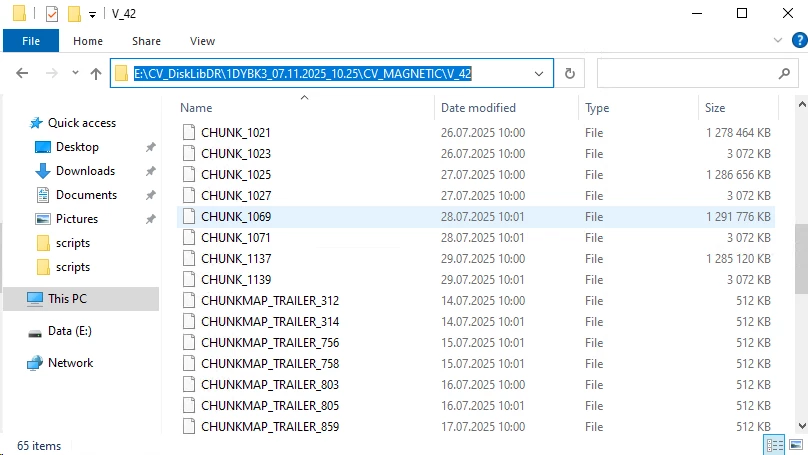
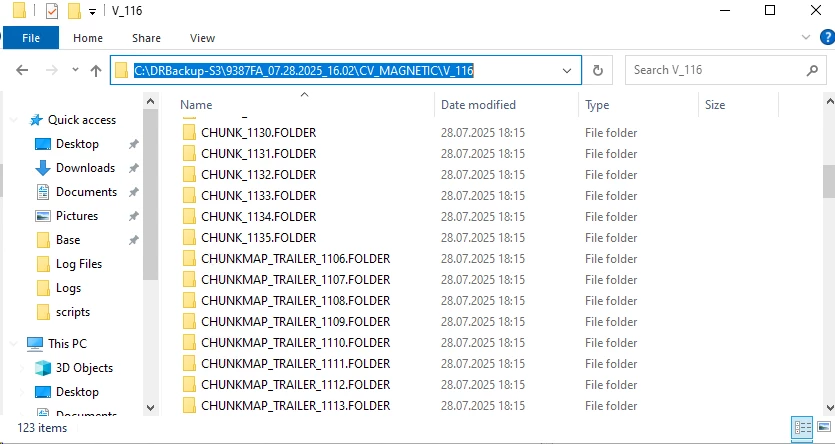
  • Copy #1 - Disk - consists of CHUNK files and CHUNKMAP_TRAILER files
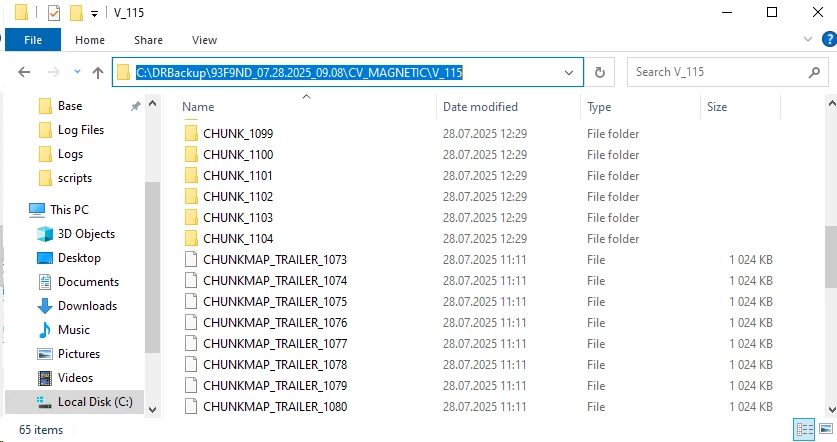
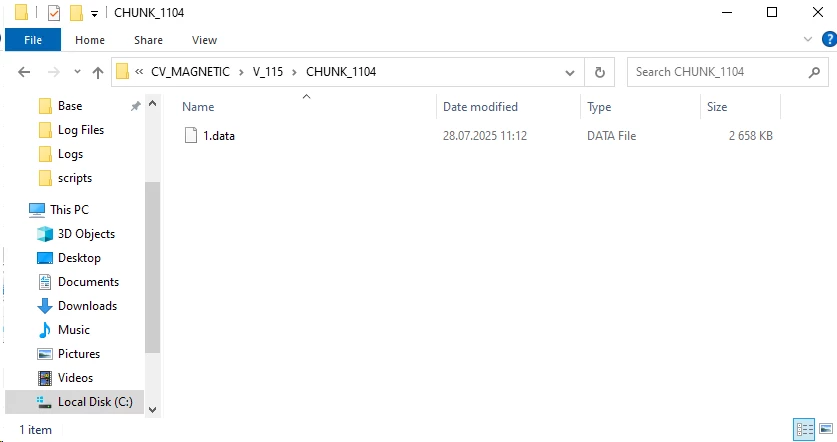
  • Copy #2 - DataDomain (copied to local disk) -  consists of CHUNK folders and CHUNKMAP_TRAILER files. Every CHUNK folder has “1.data” file in it. Since Media Explorer Tool is looking for a CHUNK file, it’s no wonder that it is unable read it since in this case CHUNK is a folder.
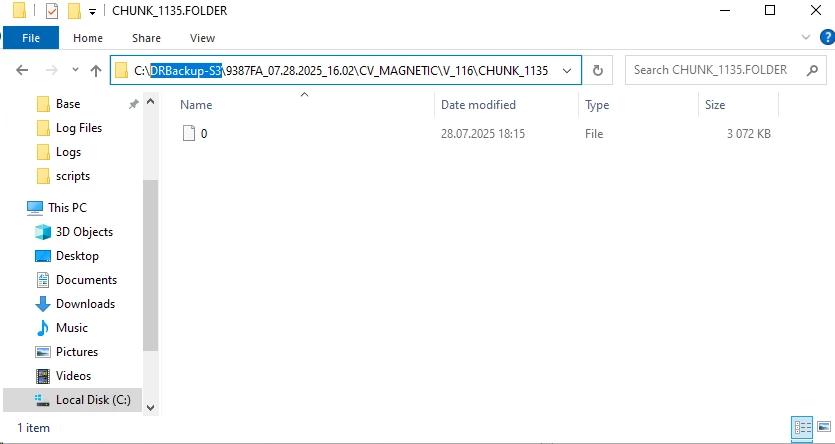
  • Copy #3 - S3-compatible target (copied to local disk) - consists of CHUNK folders and CHUNKMAP_TRAILER folders. Inside those folders are files named “0”, “1”, “2” and so on

Given the above it’s looks like during Auxilary copy the format of those copies is being changed for some reason.

Having in mind that Media Explorer Tool has not been updated for 5 years now, I don’t see how can I use it to read DR backups in different formats copied from above listed storage targets.


So the question is, what is the purpose of DR backups on below storage targets?

  • DDBoost
  • HPStoreOnce
  • Cloud storage
  • Plug and Play devices
  • Removable magnetic devices
  • S3-compatible on-premises storage solutions


-- -- -- 

Here are some screenshots


Copy #1 - Disk


Copy #2 - DataDomain


Copy #2 - DataDomain


Copy #3 - S3-compatible target


Copy #3 - S3-compatible target


Forum|alt.badge.img+12
  • Vaulter
  • July 30, 2025

Hi Robert Horowski,,
 

Since the above storage systems are deduplication-based appliances, DR restore operations may not be directly supported or may fail if attempted in isolation.

This is because deduplicated data is stored in the form of hash signatures, and during a restore, the system needs to reconstruct the original data by resolving these signatures. If the deduplication database (DDB) or index information is unavailable or not in sync, the system cannot locate or reconstruct the required data blocks.


Robert Horowski
Commvault Certified Expert
Forum|alt.badge.img+13
  • Author
  • Commvault Certified Expert
  • July 30, 2025

Hi ​@Pradeep ,

Thanks for your comment.

In this case there is no Commvault deduplication involved in any of the before mentioned copy.

  • Copy #1 - Disk - compression only
  • Copy #2 - DataDomain - backups are deduplicated on the target device. Data is re-hydrated during copy to local disk
  • Copy #3 - S3-compatible target - compression only


Copy #1 - Disk


Copy #2 - DataDomain


Copy #3 - S3-compatible target


Is there a way to retrieve those DR backups and use them in disaster recovery scenario where Commserve restore is necessary?