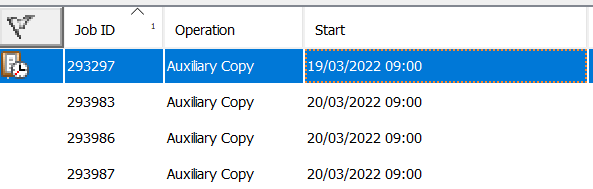
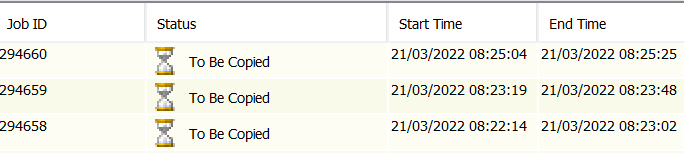
I need a little clarification about long running Auxiliary Copies.
On a daily basis we run a Primary Copy schedule which is followed by three auxiliary copies. Quite often the auxiliaries take a very long time to complete, enough to overlap with the primary copy schedule of the following day. This makes the jobs on day 2 to “enter” the still running auxiliary copies from day 1, is there any way to avoid this? Is it possible to set a boundary on the latest job to be included in an auxiliary copy?
To my understanding, the Copy Policy->Backup Period->End Time setting cannot be used as it would provide a fixed date rather than a moving one.
Sorry if this sounds a bit dummy and thanks for you support
Gaetano
Best answer by Matt Medvedeff
Hi Gaetano,
It is possible to adjust the behavior of the Aux copies so they do not automatically add new jobs to copy to the already running Aux copy jobs.
Can you check if the Pick new data for Scalable Resource Auxiliary Copy job parameter is set to 1 or 0? This setting can be found in the Commcell Console → Control Panel → Media Management → Auxiliary Copy tab.
Based on your description, you would want to set this parameter to 0 to only copy the jobs that are in a To Be Copied status when the Aux copy is first launched.
Let me know what you find and if this answers your question. Thanks and have a great day.
If you have a question or comment, please create a topic
It is possible to adjust the behavior of the Aux copies so they do not automatically add new jobs to copy to the already running Aux copy jobs.
Can you check if the Pick new data for Scalable Resource Auxiliary Copy job parameter is set to 1 or 0? This setting can be found in the Commcell Console → Control Panel → Media Management → Auxiliary Copy tab.
Based on your description, you would want to set this parameter to 0 to only copy the jobs that are in a To Be Copied status when the Aux copy is first launched.
Let me know what you find and if this answers your question. Thanks and have a great day.
I got @Matt Medvedeff ‘s reply while commuting from work, afterwards I changed the value of the suggested parameter from 1 to 0, will check how it goes but I am really confident that it will put many things straight.
What is it going to happen to the currently running AC? Will they pick the new value or they need to be killed and restarted?
Hi @Gaetano - It will not apply to Aux copy jobs in progress when the parameter was changed, so any jobs running at the time should be killed and restarted for the new setting to take effect. The jobs will resume copying from where they last left off.
Let me know if you have any further questions. Have a good one
Ensure that the Use Scalable Resource Allocation option is selected in the Auxiliary Copy Job Options window displayed during auxiliary copy execution.
Note: To prevent the Auxiliary copy jobs from picking new data for replication, add the registry key QueueConflictingAuxCopyJobs and set the value to 1.
Do I have to add the mentioned registry key along with setting Pick new data for Scalable Resource Auxiliary Copy job parameter to 0?
I don’t believe you need to set the registry key to get the Aux copies to behave as you intend.
And yes you will need to ensure Scalable Resource is enabled on the Schedule of the Aux copy, but based on your description of the current behavior of the Aux copies I am sure it’s enabled.