





Dear Team,
We recently migrated our CommCell server using the "Recovering the MongoDB Database Using the Mongo Recovery Assistant Tool for Windows" document. After the migration, the new CommCell server (Commsafe) cloned all configurations from the old server, including the old Disk Library, Mount Paths, and DDB entries.
We have since configured a new Disk Library, new Data Path, and new DDB on the Commsafe server and successfully re-associated all subclients to the new Storage Policy. The old CommCell server has been fully decommissioned, and the old client win-i3vamh7fvl3 has been retired from CommCell Console.
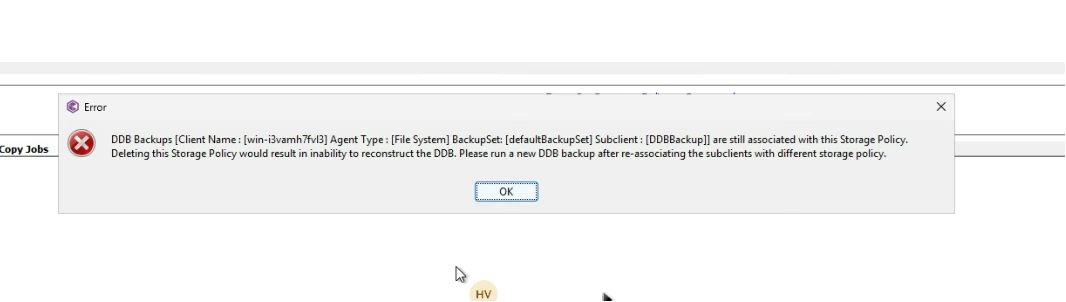
However, when we attempt to delete the old Storage Policy, we receive an error stating that DDB Backups are still associated with it. Additionally, when attempting deletion, the Job Controller shows pending/queued jobs tied to the old Storage Policy, which is blocking the deletion.
What we need help with:
- How to clear the stale/orphaned DDB association left from the cloned configuration
- How to remove or kill the queued jobs in the Job Controller that are linked to the old Storage Policy
- Correct sequence to fully delete the old Storage Policy, DDB, and Disk Library safely


