Question

Linux guest file restore failing with "No valid node is available" error

  • May 14, 2026
  • 3 replies
  • 17 views

Forum|alt.badge.img+4

Getting below error while trying guest file restore for a linux VM through access node in Commvault v11.40:

“Browse failed due to error while mounting virtual machine: No valid node is available to perform a guest file restore of the choosen VM.”
 

VM backup can be successful but browse/restore fails.

Has anyone faced this kind of error befre? and what can we do to resolve this?

3 replies

Mohammed Ramadan
Vaulter

Hi ​@Amit  , 

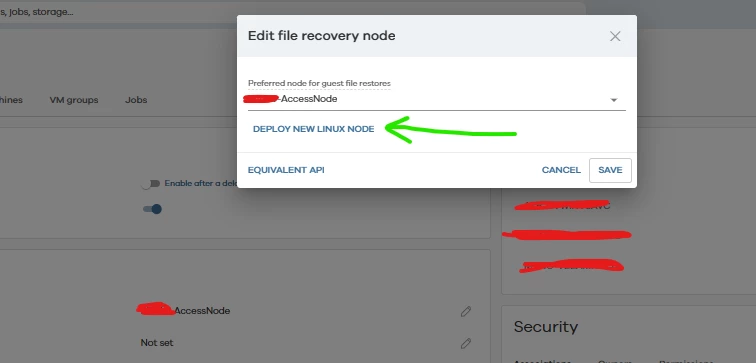
For Linux guest file level restores you should deploy a FREL The standard Access Node is sufficient for Windows but Linux guest restores require a FREL 

Deploying a VMware File Recovery Enabler for Linux

Thanks and Regards,
Ramadan


Forum|alt.badge.img+4
  • Author
  • Apprentice
  • May 15, 2026

Hi ​@Amit  , 

For Linux guest file level restores you should deploy a FREL The standard Access Node is sufficient for Windows but Linux guest restores require a FREL 

Deploying a VMware File Recovery Enabler for Linux

Thanks and Regards,
Ramadan
 

Hi Ramadan, We have that installed already, still we see this issue..!
Is there something else we are missing out??


Forum|alt.badge.img+1
  • Vaulter
  • May 15, 2026

Hi ​@Amit 

We suspect this might be due to issues with FREL not getting registered properly during the deployment.

Can you please perform the below steps and let us know the status so that we can help you with the next steps? 

1. Can you do a check readiness of the FREL and see it is “ready” without any errors? 
2. What is the CS version and FREL version? Have you deployed the FREL using the latest OVA from the Commvault store? 
3. Was this a FREL deployed via Commvault sponsored OVA or is it a MA server converted to a FREL? 
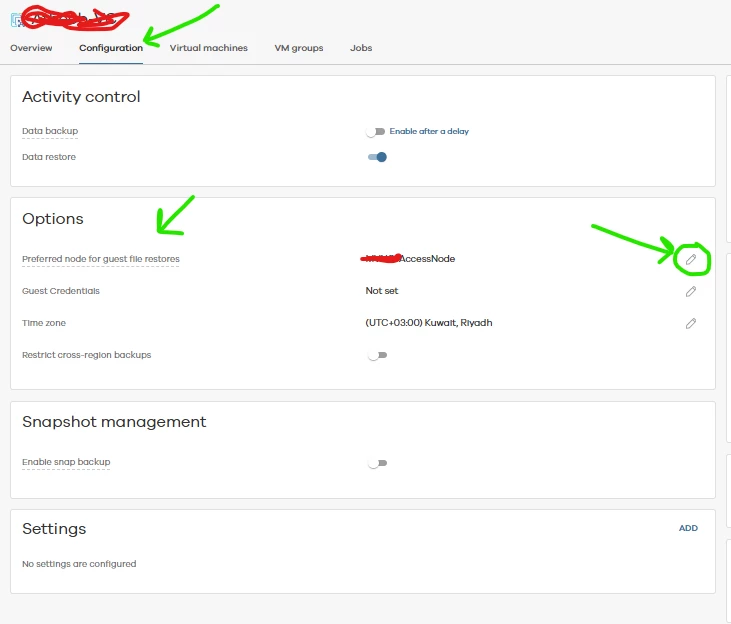
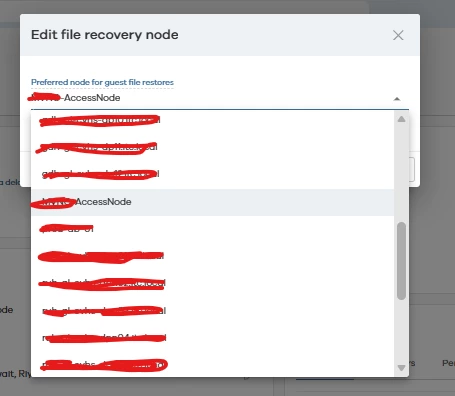
4. If the readiness of the FREL server is passed, please confirm whether the FREL server is listed in the vCenter instance? You can refer to the below article. 
Select the vCenter client>VMware instance>Properties>Select the FREL and click OK. 

https://documentation.commvault.com/2023e/commcell-console/specifying_default_file_recovery_enabler_for_linux_for_vmware_virtual_server_instance.html

5. What is the guest OS version and the FREL OS version? 

Regards,

Kalaivanan.