Question

Media Agent VSA Install

  • June 1, 2026
  • 5 replies
  • 41 views

Forum|alt.badge.img

Hi,

We are decomissioning our VMware media agents and only using Azure hosted Median Agents. The new Azure Media Agents arent showing as access nodes for vcenter backups. I’ve read about installing VSA but cannot find the install files or an accurate guide to do this. All groups and software between old (vmware) and new (azure) media agents match.


Thanks

5 replies

Lukas3D
Explorer
Forum|alt.badge.img+13
  • Explorer
  • June 1, 2026

Hello Ravi,

you wanted to provide backup using Azure MediaAgent for on-prem vCenter? 


Forum|alt.badge.img
  • Author
  • Novice
  • June 1, 2026

Hi Luke,


That’s right - used to backup on prem Vcenter. We currently use a Media Agent hosted on VMware which works fine. But need to have that hosted in Azure going forward.


Thanks


Lukas3D
Explorer
Forum|alt.badge.img+13
  • Explorer
  • June 1, 2026

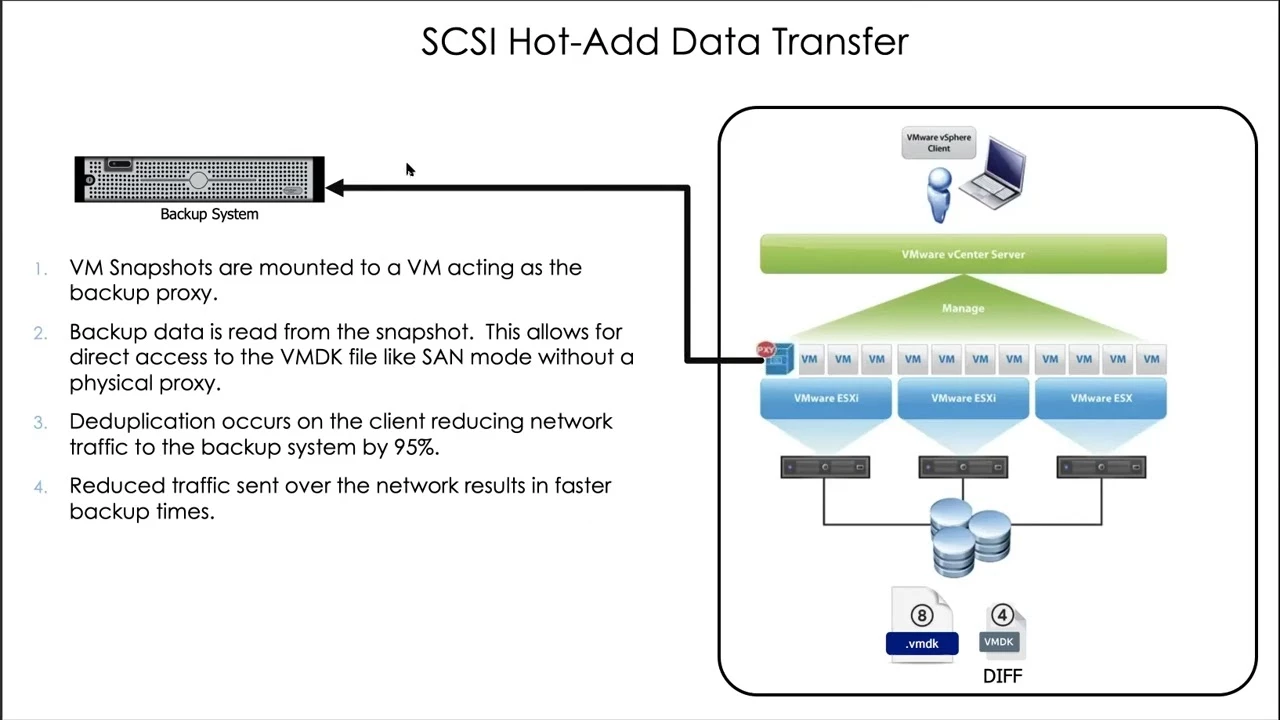
You may encounter performance and stability issues with that configuration. Specifically, the VSA/MA must be able to mount the VM disks directly to its own OS via HotAdd (or ideally, SAN). If it cannot, the system will fall back to NBD (Network Block Device) transport mode, which will significantly extend your backup windows.

Alternatively, you could consider deploying smaller, local VSA proxies on-premises while keeping the MediaAgent in the cloud to handle the DDB and storage. However, separating them this way introduces latency between the local proxies and the cloud-hosted storage, which can still cause performance degradation.

Ultimately, due to the inherent network latency between your on-premises infrastructure and the cloud, running this specific configuration puts you at a high risk for backup timeouts.


Forum|alt.badge.img
  • Author
  • Novice
  • June 1, 2026

Thanks for your detailed reply.

Is there a way we can avoid the performance and stability issues at all? Can I set up HotAdd on the new media agent?

We are slowly moving VMs away from VMware, as part of the process we need to migrate Commvault to Azure. 

Thanks


Lukas3D
Explorer
Forum|alt.badge.img+13
  • Explorer
  • June 1, 2026

The easiest way would be to simply keep local VSA/MA on-prem until the migration is completed, alternatively you may go with on-prem VSA and cloud MA, but there mentioned delays/timeouts may occur. It hard to provide adequate answer without knowing the project. 


Hot-add won’t work remotely, local proxy would be required - HotAdd Transport for VMware