
Question

Recovery of Linux VM using Filesystem backup

  • September 26, 2025
  • 4 replies
  • 51 views

Manics.mca
Forum|alt.badge.img+4

Dear Team,


We encountered an issue during a VM-level backup of an OLVM-hosted Oracle DB server. Immediately after the backup started, the Oracle database went down. We killed the backup job, but the VM snapshot was not deleted.

We engaged the Oracle vendor to remove the stale snapshot; however, the snapshot could not be deleted.

At present, we only have full file system backups (no recent image-level backup). Please advise on the best approach to recover the server end-to-end. If there are alternative options, kindly share them so we can first validate in our lab environment and then proceed in production if successful.


Regards,

Mani D

4 replies

Lukas3D
Byte
Forum|alt.badge.img+11
  • Byte
  • September 26, 2025

File System level restores may work as long as 1-Touch Backup is enabled and OS are supported - 1-Touch for Linux: System Requirements. It’s recommended to test this recovery solution, as allways.


Alternatively, if VM storage supports this scenario, it might be easier to go for storage level snapshots for restores, after PoC/tests to confirm that backup & restore works as expected. 


Manics.mca
Forum|alt.badge.img+4
  • Author
  • September 26, 2025

File System level restores may work as long as 1-Touch Backup is enabled and OS are supported - 1-Touch for Linux: System Requirements. It’s recommended to test this recovery solution, as allways.


Alternatively, if VM storage supports this scenario, it might be easier to go for storage level snapshots for restores, after PoC/tests to confirm that backup & restore works as expected. 

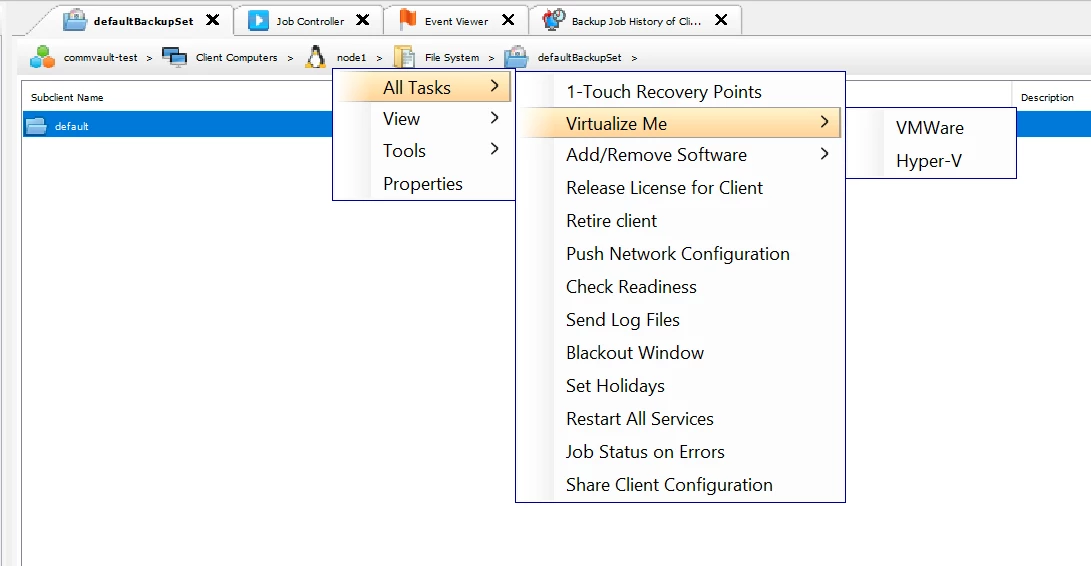
Thank you for your support. We are running virtual machine in Oracle Linux Virtualization Manager (OLVM) environment. I could not found virtualization me for OLVM option only (VMware/Hyper V)


I have taken 1-Touch backup but while go for restore Virtualize me not found OLVM option, I have downloaded the 1-Touch .ISO file from the commvault portal. Please advise how to proceed further.

Thanks in advance.


Regards,

Mani D


Lukas3D
Byte
Forum|alt.badge.img+11
  • Byte
  • September 26, 2025

Hi Mani,

you can use this guide Recovery - 1-Touch for Linux or YouTube video Commvault 1-touch recovery with Linux as a baseline (the video might be outdated, but principals remains the same).


Once a 1-Touch backup has been taken at the Subclient level, you can trigger a test restore by restoring the backup to another server/VM and booting it from the downloaded .ISO.

Please note that after restoration and reboot, the VM will try use original IP address. To avoid conflicts, make sure to e.g. detach the network before proceeding.


Manics.mca
Forum|alt.badge.img+4
  • Author
  • September 26, 2025

Hi Mani,

you can use this guide Recovery - 1-Touch for Linux or YouTube video Commvault 1-touch recovery with Linux as a baseline (the video might be outdated, but principals remains the same).


Once a 1-Touch backup has been taken at the Subclient level, you can trigger a test restore by restoring the backup to another server/VM and booting it from the downloaded .ISO.

Please note that after restoration and reboot, the VM will try use original IP address. To avoid conflicts, make sure to e.g. detach the network before proceeding.


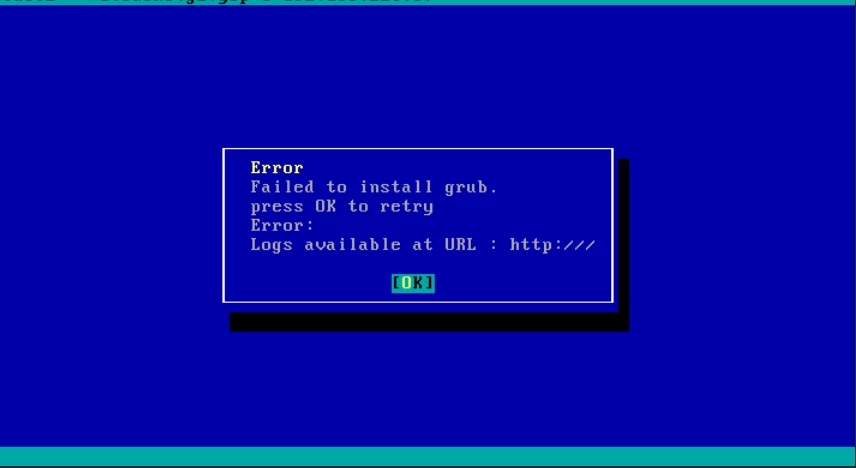
Dear ​@Lukas3D , Thank you for the support, In commvault console level two times restore was completed successfully but in the final stage we are getting the below error.


We have tried the option for our source UEFI same has been enabled again in the destination but its not booting up

  • Source system is UEFI, but the target is BIOS (or vice versa)

Kindly help us.


Regards,

Mani D