Solved

Auto Create Global Policies


dude
Community All Star
Forum|alt.badge.img+20
  • Community All Star


Hey All,


I`m looking to see if a member of the commvault team / or community has noticed changes with their storage policies when upgrading from 11.36 to 11.40.

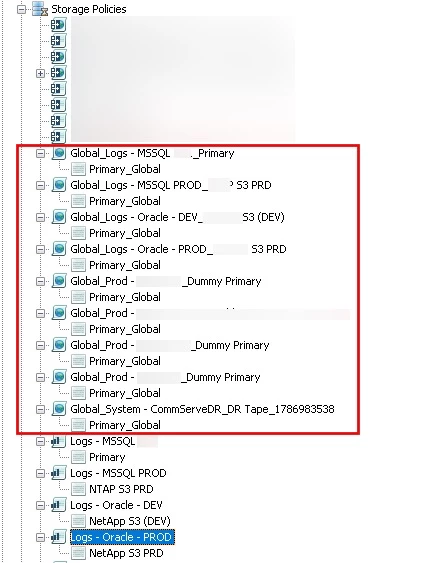
The "Global_..." were created after the upgrade and I cant fully understand the reason. Has anyone seen anything similar to this before?


Another behavior I noticed is around non dedup copies like snapshot copies. Within 11.36 during the Snap Copy creation, you could simple point to a media agent and create the copy, but since the 11.40 you must select a storage pool. Not quite sure the thought behind this, I can create a non dedup pool and create the copy but Im really just trying to understand the logic and why do we need so many pools.

Similarly, all my current snapshot copies were Auto Associated to these Global copies from the screenshot. 

Is there a documentation stating the creation of these "Global" policies when upgrading to FR11.40?

Thank you in advance.

Best answer by Jennifer Kelley

Hi ​@dude ​@AbdulRahman AlSindiony - Abdu is correct, and I checked in with our Dev team to get a little more context. Those entities are created in relation to readiness for / migration to Command Center.

In addition to the docs shared by Abdu above, this additional doc may be relevant:   https://documentation.commvault.com/11.46/software/converting_commcell_console_storage_policies_to_command_center_backup_plans_or_laptop_plans.html

View original

3 replies

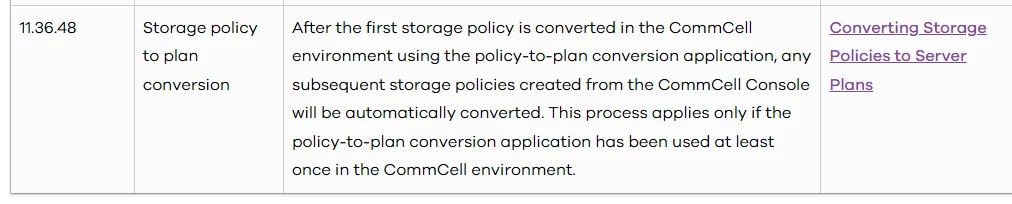
Hey ​@dude, Seems those are converted to Plans, I think it’s harmless?

Effects on Storage Policy Copies

When you convert storage policies that include associated copies, the following effects apply:

  • Storage policy copies that are not associated with a global policy are converted to network storage pools.

    For more information, see Network Storage Pool.

  • Storage policy copies are converted as follows:

    • Copies with deduplication enabled are associated with global deduplication storage policies and converted to global deduplication storage policy copies.

    • Copies without deduplication enabled are associated with global storage policies and converted to global storage policy copies.

      The copy name changes to the format Global_StoragePolicyName_*CopyName*.

      The libraries, mount paths, and MediaAgents associated with the copies remain unchanged.

      To modify these settings after conversion, update them in the global storage policies linked to the copies.

https://documentation.commvault.com/11.40/software/effects_of_converting_storage_policies_to_plans.html#effects-on-storage-policy-copies


Changes in Commvault Platform Release 2024E


Thanks,

Abdu


dude
Community All Star
Forum|alt.badge.img+20
  • Author
  • Community All Star
  • October 16, 2026

Yeah this does not apply to my scenario. I did not convert any storage policy to plans or have ever used this workflow at all. 

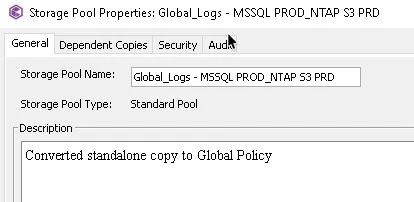
Snapshot copies (non dedup) associatd with a system created Global Policy with the name of MSSQL. Makes zero sense. 


Jennifer Kelley
Vaulter
Forum|alt.badge.img+20

Hi ​@dude ​@AbdulRahman AlSindiony - Abdu is correct, and I checked in with our Dev team to get a little more context. Those entities are created in relation to readiness for / migration to Command Center.

In addition to the docs shared by Abdu above, this additional doc may be relevant:   https://documentation.commvault.com/11.46/software/converting_commcell_console_storage_policies_to_command_center_backup_plans_or_laptop_plans.html