





Commvault Feature Release 11.23 is now Generally Available
One of the many things that helps differentiate Commvault from others in this space is our ability to protect all kinds of data and to do so without limitations of size, or location. So whether you’re talking about databases, applications, virtual machines, containers, and even as-a-service data, we’ve got you covered. And regardless of whether they reside on-prem, in the cloud, across multiple clouds, in hybrid environments, or endpoints scattered around the globe, you’re protected… by a single, unified solution that’s agile, flexible, responsive, scalable, and extensible. And we’re continually working to make it even better… to make sure that our customers are always recovery ready!
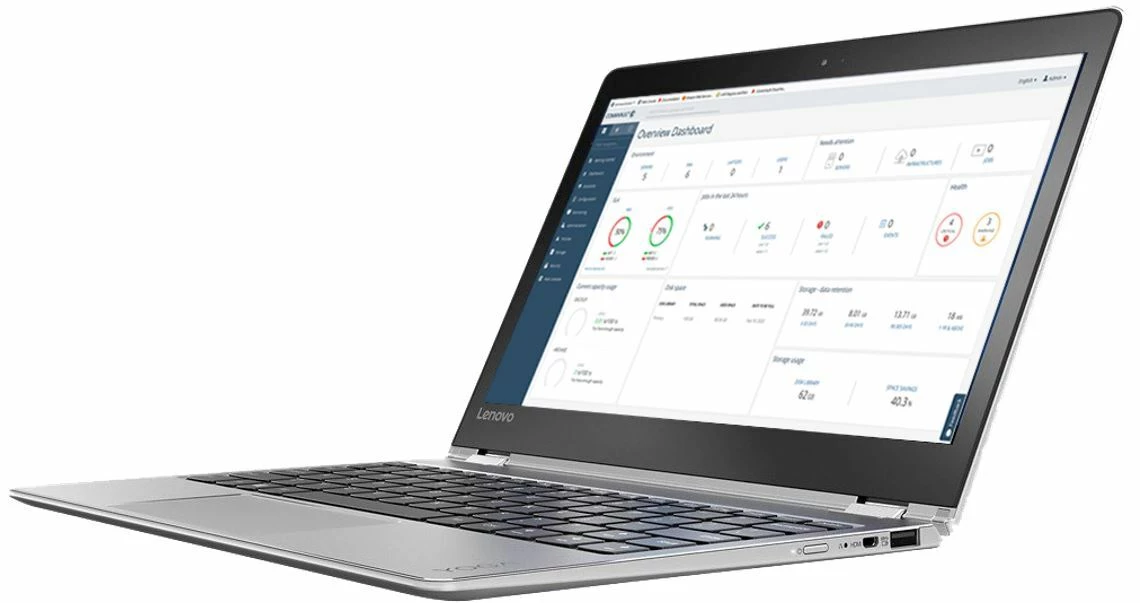
Let’s take a look at some of the new features and functionality that are part of Feature Release 11.23, specifically those bundled with our Data Management and Protection product suite: Commvault Complete™ Data Protection, Commvault® Backup & Recovery, and Commvault® Disaster Recovery.
We’ve made numerous enhancements that help to accelerate the multi-cloud journey, better protect virtual environments, and enable new workloads. We’ve enhanced performance and leapfrogged the competition in storage optimization, data governance and compliance, and even analytics. But don't take my word for it... let's drill-down into some of the highlights:
Accelerating the Multi-Cloud Journey
Multi-cloud is the future… but it’s already here. It's the strategic distribution of cloud assets, software, applications, and more across multiple cloud environments. With a typical multi-cloud architecture utilizing two or more public clouds in addition to private clouds, multi-cloud looks to eliminate the reliance on any single cloud provider or instance. Selecting different cloud services from different vendors makes sense because some are just better than others for certain tasks. For example, some cloud platforms specialize in large data transfers or have integrated AI or machine learning capabilities, while others offer a greater variety of archival storage tiers. But whichever you choose, multi-cloud helps provide:
- Freedom of Choice. Being able to choose from a variety of cloud vendors gives you flexibility and avoids vendor lock-in.
- Risk Avoidance. Whether it’s the result of a natural disaster, hardware failure, cyber-attack, or human error, outages can happen to anyone. Allocating data and workloads across multiple clouds helps ensure that your essential compute resources and data storage are always available, minimizing business disruption.
- Regulatory Compliance. Keeping data private and safe from unauthorized users, breaches, leaks, and malicious attacks is regulated by a number of laws that vary around the globe. Multi-cloud environments can be helpful in allowing enterprises to achieve specific goals for governance, risk management, and regulatory compliance.
Commvault's industry-leading technology helps companies accelerate their efforts to build, run, manage, and secure all their apps seamlessly on any combination of clouds. With FR 11.23, we’ve added significant performance and restore capabilities for Microsoft Azure and Azure Stack. With more than 60 Azure regions – more than any other cloud provider – Microsoft provides businesses with the freedom and flexibility to build, manage, and deploy applications anywhere. For more than two decades, Commvault worked closely with Microsoft to ensure that users can migrate data to Azure with ease, protect their data from ransomware, and gain complete data portability, visibility, and recoverability. With FR 11.23, we’ve added:
- Ability to Specify Disk Type for Azure VMs. By specifying Standard HDD, Standard SST, or Premium SSD, you can prioritize and optimize VMs, capacity, and cost, for both planned and unplanned recoveries
- Ability to Specify Azure Availability Zones for Restored VMs. Allows you to capture Availability Zone information during backup, and leverage it during recovery. This effectively removes the administrative burden of needing to manually place a VM back into the proper availability zone during recovery.
- Azure Stack HCI Certification. Azure Stack HCI is a new hyperconverged infrastructure (HCI) operating system delivered as an Azure service. It provides the latest security, performance, and feature updates. Commvault is fully certified, enabling users to take full advantage of its business value and performance benefits.
- Incremental Snapshots of Managed Disks in Azure Stack Hub. API-based Changed Block Tracking (CBT) allows you to determine changes between points in time, for efficient, optimized backups that enhance performance and help save on storage charges.
- Conversion of Azure Stack VMs to Azure Cloud. Easily convert to Azure Cloud from streaming backups, secondary copies, or IntelliSnap® backups, to meet the unique needs of your business.
- Hyper-V Live Recovery of VMs. Allows VMs to be brought-up quickly, even during a restore, for fast recovery in Hyper-V environments. This also provides DR, data validation capabilities, without needing to move data.
- AWS and Azure VSA V2 Indexing. This allows backup, recovery, and reporting at the virtual machine level. By reducing the data footprint of the index on your storage library, it enables more efficient search, browsing, and reporting. If you’re using FR 11.23 on a new CommCell, deploying a new virtualization client will default to V2 indexing. Simple!
- Cross-region replication of Google Cloud Platform instances. Allows you to easily replicate GCP instances from one region to another using replication groups. You can also use the Replication Monitor to track replication, failover, and failback operations, for enhanced operational efficiency.
- AWS Conversions to Google Cloud Platform. Allows easy conversion of VMs and instances between Azure, AWS, and GCP. This allows you to change VM sizing, as well as taking advantage of our auto power-on feature, enabling you to power-on your proxies only when you need them for a restore, then automatically powering them down when you’re done, increasing operational efficiency, and helping to reduce overall costs.
- Easily replicate Google Cloud Platform instances across regions. Replicate Google Cloud Platform (GCP) instances from one region to another using replication groups, and use the Replication Monitor to track replication, failover, and failback operations.
- Enhanced Disaster Recovery orchestration in Google Cloud. We provide our customers with the ability to manipulate between hypervisors, platforms, to provide a secondary copy of your virtual machines or instances in different locations and different environments. We’ve now brought this functionality to Google Cloud Platform, allowing users to move easily between regions, to enhance recoverability, and to reduce the impact of a disaster, especially if a region were to go down or become inaccessible. Users can recover across Projects, Zones, and Regions, with RPOs of up to 1 hour and near-instantaneous RTOs. Provides cloud-optimized power-on-demand infrastructure, while enabling recovery from cold storage, all managed through the user-friendly Commvault Command Center™.
Protecting Virtual Environments
Virtualization creates a virtual version of a once-physical item. You might see virtualized operating systems, servers, storage devices, or even desktops in a typical datacenter. With virtualization, applications and operating systems are abstracted away from the hardware or software beneath them. Hardware virtualization involves virtual machines (VMs), which take the place of “real” computers with “real” operating systems. Minimizing physical hardware can reduce cost for power, cooling, hardware, maintenance, downtime, and electricity. What's more, you can even deploy your VMs in the cloud.
- Commvault protects virtualized data and workloads with live recovery options
- Allows backup to and in the cloud
- Provides custom-fit data protection for every Service-Level Agreement (SLA)
- Includes comprehensive hardware snapshot management
- Offers complete workload portability across your physical, virtual, and cloud platforms.
And all of it is managed through a single, modern interface with powerful capabilities for both on-prem and multi-cloud environments. Here are just some of the virtualization enhancements baked into FR 11.23:
- Easy Conversion of Virtual Machines from Nutanix AHV to VMware. This allows users to restore a Nutanix AHV VM from a backup as a VMware VM, if you want/need to utilize a different hypervisor.
- Support for VMware vCloud Director 10.1 plugin. Allows admins to protect, recover, and manage VMs in one or more vSphere environments that are managed by vCloud Director.
- Amazon VSA VM-centric support. This provides a more consistent protection experience in cloud, and is aligned to on-prem VM-centric operations with VMware.
- Easy Conversion of VMs from AWS to Google Cloud VMs. Easily convert VMs and instances from AWS to Google Cloud VMs, with auto-power-on and off. Restore from streaming backups or from an IntelliSnap® copy. Allows freedom of choice, so you can select cloud vendors that best meet your unique requirements for cost, functionality, and risk.
- Live recovery of VMs for Hyper-V. Recover VMs from backup without needing to wait for the completion of a full restore. This allows you to pre-configure VMs to power-on during restores. This is especially useful when a failed VM needs to be quickly returned to production. It also allows you to validate that a backup can be used in DR scenario.
VMware-Specific Certifications and Updates
Technology is always in motion, and Commvault is relentless in staying current with the latest enhancements from our technology partners. These are some of the VMware certifications and supported updates included in FR 11.23:
- vSAN/vSphere 7.0
- VMware Cloud Director 10.1
- VAIO on vSphere 7.0 (used in continuous vSphere VM replication)
- Metallic certification on VMware Cloud on AWS
Managing New Workloads
Commvault is known for supporting the broadest range of applications, databases, public cloud environments, OSs and hypervisors, NAS systems and primary storage arrays in the industry. We work hard to ensure that our coverage continues to meet the evolving needs of our customers. Here are some enhancements with FR 11.23:
- Granular Restores of Mongo DB (data protection/archiving for NoSQL DBs). In prior releases, we supported replica set-level full restores for all databases. With FR 11.23, you can now restore only those databases that you need to restore. No need to take databases offline while you’re restoring. This enables quick operational recovery, allowing users to restore a select number of MongoDB databases/collections without disrupting their entire environment. No more downtime during restores. Granular restores can be performed while the production MongoDB instance is still running without impacting other databases
- Enhanced Full Restores for MongoDB. This effectively automates the entire operation, while cleaning-up DB paths on all nodes.
- Command Center support for Hadoop. Allows users to manage full size data lakes without manual intervention.
- Data Protection and Archiving for Large File Systems. Covers Hadoop, Hbase, NetApp, NAS. Streamlined NDMP configuration processes assist admins in protecting NAS data via NDMP or CIFS/NFS shares.
- Data Protection and Archiving for Containerized Workloads. Data protection of containerized workloads and frameworks; covers MySQL, PostGreSQL
Performance Enhancements
Commvault continues to innovate to meet the evolving needs of the market and our customers. We’re constantly adding ways to make life easier for our customers, while also differentiating our solutions from others in the market. Here are just a couple examples of general enhancements in FR 11.23.
- Automated Endpoint Management. Automatically retires laptops that have not communicated with the CommServe for a specific length of time and are considered offline. This helps reduce the overall data footprint and storage requirements, while helping to minimize risk from devices that might no longer be in active service.
- Email alerts for at-risk SLAs. When a client computer is predicted to miss an SLA, an email alert is automatically generated, allowing preventative action to be taken and minimizing potential disruption to the business. This is just one of several ways in which Commvault approaches ransomware risk mitigation.
- Command Center enhancements, including simplified global entity search across distributed CommCells
- CyberArk integration. Adds Privilege Access Management (PAM) for improved security posture, helping to protect service account credentials from unauthorized access. Allows organizations to synchronously rotate account passwords across their entire environment. Backups continue to run seamlessly, requiring no manual intervention.
Commvault Disaster Recovery enhancements
- RPOs up to 1 hour and near-instantaneous RTOs, enabling users to choose the most efficient and cost-effective storage tiers aligned to the business value of their data and workloads.
- Recovery across Project, Zone and Regions
- Cloud efficient power-on-demand infrastructure helps reduce costs associated with cloud storage.
- Commvault DR expanded to Google Cloud Platform. Adds choice and flexibility, allowing users to choose the storage vendors and tiers that make the most sense for the unique needs of their business while providing cost-optimized cloud storage mobility.
- Prebuilt workflows and extensive API Library help reduce complexity and streamline recovery operations
- DR script automation and one-click failover and failback, for easy implementation and simple operation
- Automated compliance reporting that simplifies maintaining regulatory compliance
- Automated discovery of outages with failover to minimize operational disruptions
Commvault Command Center enhancements
- Multi-CommCell portal with aggregated jobs and events. Allows you to manage multiple CommCells simultaneously, all from a single Command Center. By default, when you log in, you have a global view of all clients, jobs, etc., and all connected CommCells. A dropdown menu allows you to switch between individual CommCells, for seamless, single-pane-of-glass management of your entire environment at both the global and individual levels.
- Multi-version support within Command Center. Allows for a single Command Center to be the sole entry point for multiple CommCells, regardless of version. Upon login to the universal Command Center, you are presented with a selection of CommCells. On selecting a CommCell, you’re presented with version-appropriate interfaces and management tools for that specific CommCell. For example, on selecting a CommCell running FR 11.22, you’ll be shown options and configuration settings specific to FR 11.22.
- File System enhancements. Full Command Center support for Hadoop and HBase. Allows users of HDFS, Hadoop, Spark, and Azure Data Lake to manage all data protection activities through the Commvault Command Center.
- NAS improvements. Added refinement to Command Center screens for NAS (Network Attached Storage) and NDMP (Network Data Management Protocol). Streamlined configuration process, simplifies tasks performed by admins who protect NAS data via NDMP or CIFS/NFS shares
Security Enhancements
- Unusual file activity dashboard. This allows you to track anomaly trends. If an anomaly is identified, you can view detailed information about it and determine if it’s malicious, or is just part of your normal day-to-day. You can then choose to clear the anomaly or recover files to clean recovery points on either the original machine or if the whole machine is jeopardized, you may decide to recover it as a Virtual Machine. Uses historic delete/create/modify/rename activity. Machine Learning identifies anomalous thresholds while factoring in total files on the system, while the dashboard displays the most recent anomaly alerts. Includes monitoring of Backup Jobs and Live File System activity.
- Hardening of Microsoft Windows ransomware protection. Improves the existing Windows ransomware protection drive, and adds resiliency against emerging bypass and unloading techniques seen in emergent ransomware attacks.
- Native Ransomware Protection for DR Backups. Using a locking framework similar to what’s used in protecting Windows Mount paths, stops any attempts from the CommServe to modify the DR Directory. Hardens storage where DR is located and any unauthorized attempts to modify or delete on the CommServe will be blocked.
Enabling Service Providers
We recognize that our partners are critical to our success, and these enhancements are designed to provide our service provider partners with the tools they need to be competitive.
- In-product enablement features for creation of Service Catalogs/Service Definitions. Simplifies setup of services in any as-a-service scenario.
- Multi-CommCell aggregation in Command Center for streamlined job management across the entire estate
- Enhanced Assignment of Entities to a Company. Enables assignment of an expanded list of CommCell entities to a company. Simplifies initial setup or congif or an entity and any subsequent moves to a tenant (Company), while streamlining management of assets and entities under protection.
- Terraform Module enhancements. Terraform is a popular tool used by service providers to help automate provisioning and configuration tasks to drive operational efficiency. This module enables automation and management of routine provisioning and configuration tasks. It accelerates deployment of infrastructure-as-code across all major cloud platforms, and enables a much more seamless user experience
At Commvault, we simplify and manage the complexity of our customers’ data. We allow them to uncover insights, accelerate business growth and help ensure the fundamental integrity of their business. With technology excellence at our core, we continue to lead the market with our industry-leading Intelligent Data Services Platform.
As we celebrate 25 years of data management innovation and success in helping business of all size protect and manage their data, the general availability of a new feature release just demonstrates that we’re continuing to do what we’ve always done: innovating to meet the constantly changing needs of our customers. This constant innovation is the basis for our suite of Intelligent Data Services that help our customers solve their toughest business-critical data challenges.
Today, we offer a broad range of consumption choices for our Intelligent Data Services as Software on-premises; in the cloud; as a managed service through partners; or as SaaS, a critical differentiator in the market. The opportunity for us to help our customers continue to in their digital transformation journeys has never been greater.
We do all of this, driven by our core values – Connect, Inspire, Care and Deliver – and we provide the peace of mind that liberates people to do amazing things with data!
Want to dig a little deeper? Check out the Feature Release 11.23 section on our Documentation site: https://documentation.commvault.com/11.23/essential/index.html.

