Answer

AuxCopy Jobs

  • December 9, 2024
  • 6 replies
  • 63 views

Forum|alt.badge.img+15

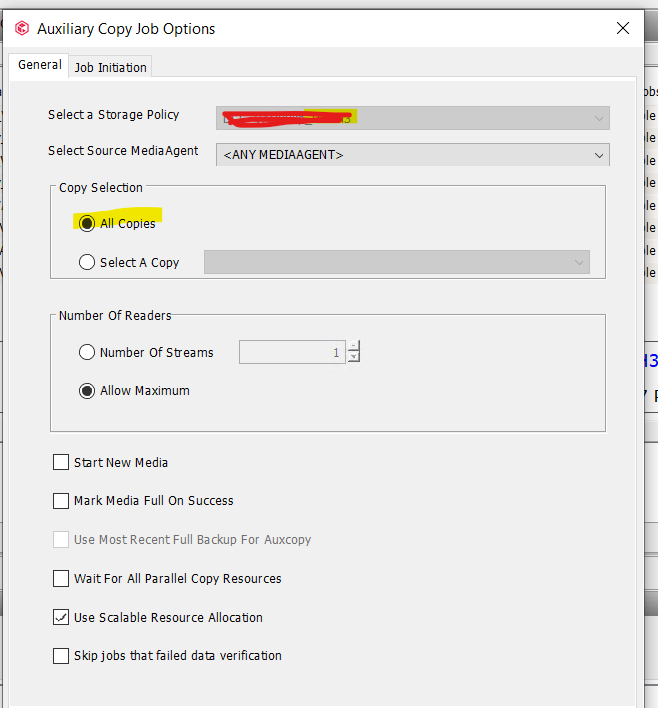
i have 3 aux copies to a storage policy , 2 two tapes and one to disk , but for all the aux copies are running under one job id , what setting cause this 

Best answer by Wasim

Hi ​@Ajal,

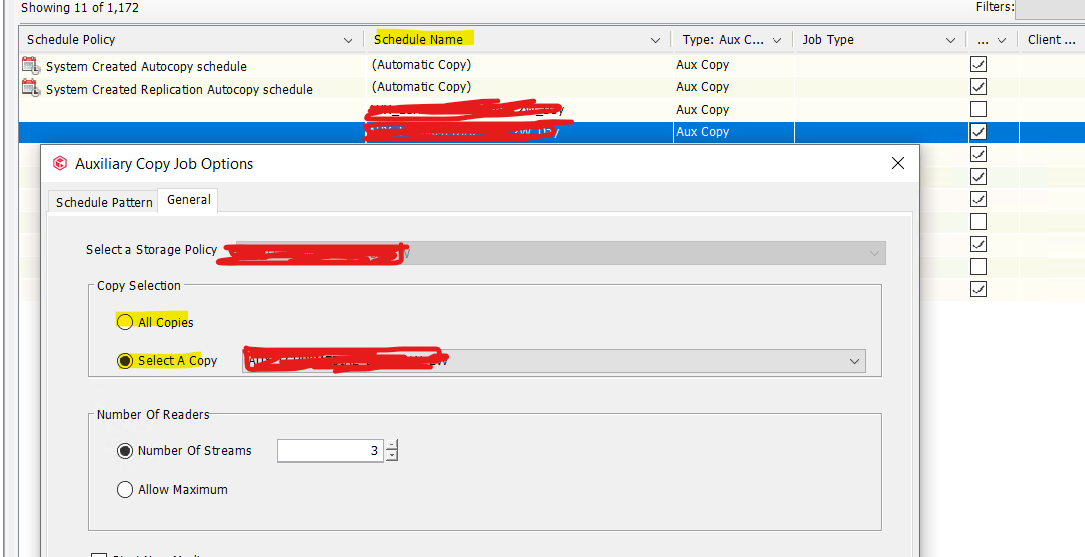
Below is the reference screenshot for you, If you encounter any issue in identifying it, please raise a support case and share the case number. We will assist you further.


Regards,

Wasim

6 replies

Forum|alt.badge.img+9
  • Vaulter
  • December 10, 2024

Hi ​@Ajal,

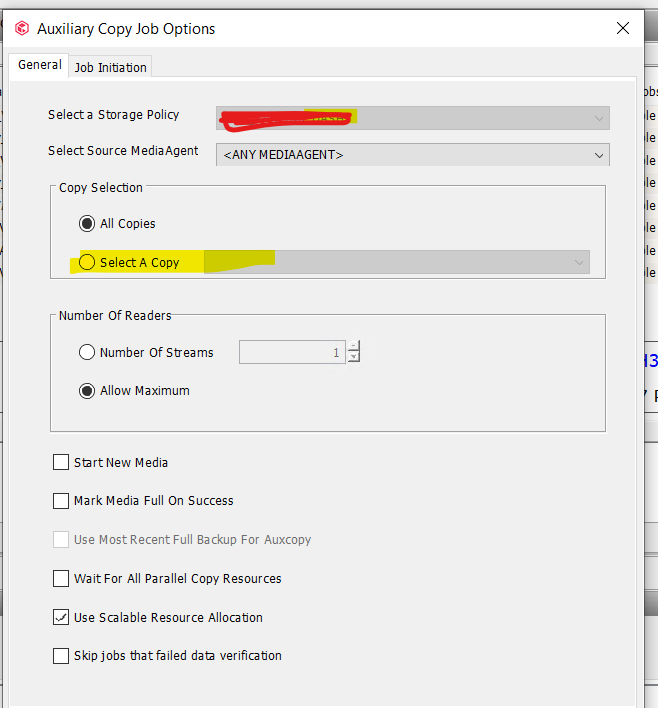
It seems you are running the Auxcopy by using the “All Copies” option.


Regards,

Wasim


Forum|alt.badge.img+5
  • Vaulter
  • December 10, 2024

Please verify what ​@Wasim has said and to correct this you can kill run a new job by selecting the appropriate copy or let the next scheduled Copy job to trigger them separately. 


Forum|alt.badge.img+15
  • Author
  • Byte
  • December 10, 2024

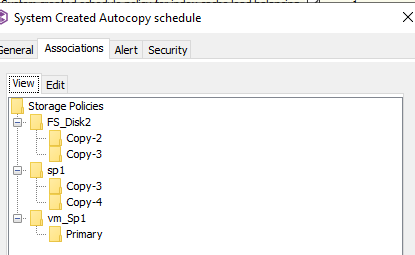
 ​@chrisaj ​@Wasim  the jobs are run on schedule , i have not run it manually , shedule is the default system aux copy schedule ,


multiplexing or combining streams does this ?


Forum|alt.badge.img+9
  • Vaulter
  • December 10, 2024

Hi ​@Ajal,

The schedule was configured for “All Copies”. Please create a separate schedule for each copy by selecting the respective copy.

Regards,

Wasim


Forum|alt.badge.img+15
  • Author
  • Byte
  • December 10, 2024

@Wasim  how do we create a schedule with all copies , there is no such settings in schedules , we associate the secondary copies to the schedule ,


Forum|alt.badge.img+9
  • Vaulter
  • Answer
  • December 10, 2024

Hi ​@Ajal,

Below is the reference screenshot for you, If you encounter any issue in identifying it, please raise a support case and share the case number. We will assist you further.


Regards,

Wasim