

Solved

power off VMware VM before backup and boot afterwards

  • Feb 19, 2024 3:43 PM UTC
  • 3 replies
  • 407 views

Forum|alt.badge.img

Hello,

I have a VM that has a pass through PCi device configured (GPU).

I need to backup this VM.

As  snapshots cannot be taken and CV agent cannot be installed due to network restrictions, I thought of turning off the VM before backup.
There I have a couple of questions:

Which technology will the pre-script use: ssh to ESXi Host, Rest-API to Vcenter or Powercli from media agent?

Where is the script hosted? On the VSA=mediaagent or on the ESX Host?

Are there any examples available?. I did not find anything on the net.

Thanks for the support
 

Best answer by Jim P

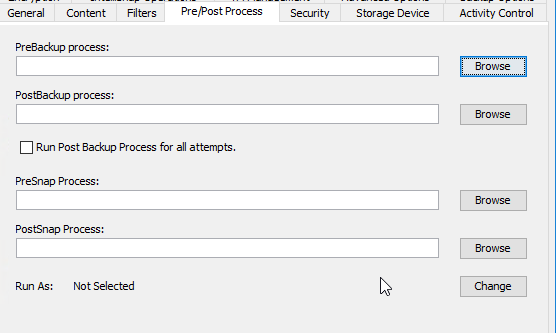
Hello!  In regards to shutting down and starting the VM, this would need to be a script set up outside of Commvault then this can be added to the subclient performing the backup as a pre and post script. The Script would exist on the VSA Access node. FYI: Support Team does not create scripts. 
For further information on running these scripts please review the documentation below. 


View original

3 replies

Forum|alt.badge.img+6
  • Vaulter
  • Answer
  • Feb 20, 2024 4:11 PM UTC
Hello!  In regards to shutting down and starting the VM, this would need to be a script set up outside of Commvault then this can be added to the subclient performing the backup as a pre and post script. The Script would exist on the VSA Access node. FYI: Support Team does not create scripts. 
For further information on running these scripts please review the documentation below. 


Forum|alt.badge.img+6
  • Vaulter
  • Feb 20, 2024 4:12 PM UTC

PS: Alternatively you can schedule a task in vCenter to power down the VM for backup window


Forum|alt.badge.img
  • Author
  • Novice
  • Feb 23, 2024 4:19 PM UTC

Thanks Jim, yes I found the documentation, I was just hoping there would be a sample script somewhere. So I need  script that works from the VSA=media agent.